Discover everything you need to know in this Ayoa us review, where we explore how this powerful mind mapping and productivity tool helps individuals and teams turn ideas into actionable plans. From AI-powered brainstorming to task management and collaboration features, Ayoa offers a complete solution for boosting creativity and efficiency in one platform.
Table of Contents
ToggleWhat is Ayoa?
Overview of Ayoa Software
Imagine having a workspace where your ideas don’t just sit in boring lists but actually come alive visually—that’s exactly what Ayoa delivers. At its core, Ayoa is a powerful blend of mind mapping, task management, and collaboration tools designed to help individuals and teams think better and work smarter. Unlike traditional productivity apps that separate brainstorming from execution, Ayoa connects both seamlessly, allowing you to turn ideas into actionable tasks instantly.
This unique combination is what makes Ayoa stand out in a crowded productivity market. It’s not just another task manager—it’s a creative thinking platform that encourages visual planning and structured execution. With features like mind maps, Kanban boards, whiteboards, and AI assistance, it gives users multiple ways to organize their thoughts and workflows.
Another important aspect is its flexibility. Whether you’re planning a project, writing a blog, studying for exams, or managing a team, Ayoa adapts to your style. Think of it as a digital brain—one that helps you visualize, organize, and act on your ideas without switching between multiple tools.
Who Should Use Ayoa?
Ayoa isn’t limited to one type of user—it’s built for a wide range of people. If you’re someone who struggles with cluttered thoughts or chaotic workflows, this tool can feel like a breath of fresh air. Students, freelancers, marketers, project managers, and even educators can benefit from its intuitive design.
For creative professionals, Ayoa acts like a visual playground where ideas can be mapped, expanded, and refined. For teams, it becomes a collaboration hub where tasks, discussions, and files are centralized. Businesses across industries—from education to design—use Ayoa to streamline their processes and improve productivity.
The tool is especially useful for people who think visually. If you find traditional to-do lists boring or ineffective, Ayoa’s mind mapping approach can completely change how you work. It’s like switching from black-and-white to full color—everything becomes clearer, more engaging, and easier to manage.
Key Features of Ayoa
Mind Mapping Capabilities
Mind mapping is the heart of Ayoa, and it does it exceptionally well. Instead of writing ideas in linear lists, you can create visual diagrams that branch out like a tree. This helps you see connections between ideas, making brainstorming more effective and less overwhelming.
Ayoa offers different types of maps, including organic maps, radial maps, and speed maps, giving users flexibility in how they visualize their thoughts. These maps aren’t just static diagrams—they’re interactive, allowing you to add images, notes, and links.
What makes it even more powerful is how easily you can convert these mind maps into tasks. You’re not just thinking—you’re planning and executing simultaneously. It’s like turning your thoughts into a roadmap that guides your actions step by step.
Task Management & Kanban Boards
While many tools focus only on brainstorming, Ayoa goes further by integrating task management features directly into its system. You can assign tasks, set deadlines, track progress, and manage projects using Kanban-style boards.
This means you don’t have to switch between different apps for planning and execution. Everything happens in one place, which saves time and reduces confusion. The task boards are visually appealing and easy to use, making project management feel less like work and more like organizing a game plan.
Additionally, features like recurring tasks, reminders, and progress tracking help ensure nothing slips through the cracks. Whether you’re managing a small project or a large team, Ayoa keeps everything organized and transparent.
AI-Powered Brainstorming
One of Ayoa’s standout features is its AI assistant, which helps generate ideas and overcome creative blocks. Imagine having a brainstorming partner that never runs out of suggestions—that’s what Ayoa’s AI does.
It can create mind maps automatically, suggest ideas, and even help with tasks like SWOT analysis or content planning. This makes it incredibly useful for writers, marketers, and entrepreneurs who need fresh ideas regularly.
The AI doesn’t replace your creativity—it enhances it. It acts like a catalyst, speeding up your thinking process and helping you explore new possibilities.
Whiteboards & Collaboration Tools
Collaboration is another area where Ayoa shines. Its online whiteboards allow teams to brainstorm together in real time, adding notes, images, and diagrams.
Team members can comment, share files, and communicate directly within the platform, eliminating the need for external tools. This creates a centralized workspace where everything is connected.
For remote teams, this feature is a game-changer. It brings the experience of in-person brainstorming sessions into a digital environment, making collaboration more interactive and productive.
User Interface & Ease of Use
Navigation and Design
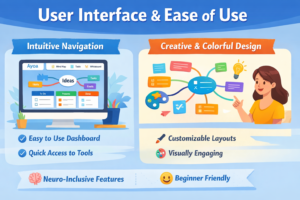
Ayoa’s interface is clean, colorful, and visually engaging. Unlike traditional productivity tools that feel rigid, Ayoa’s design encourages creativity.
Navigation is straightforward, with different views like mind maps, task boards, and timelines easily accessible. Even beginners can get started quickly without a steep learning curve.
Accessibility & Neuro-Inclusive Design
One of Ayoa’s unique strengths is its neuro-inclusive design. It allows users to customize fonts, colors, and layouts, making it accessible for people with different learning styles and needs.
This makes it particularly beneficial for individuals with ADHD or dyslexia, as it supports diverse ways of thinking and working.
Ayoa Pricing Plans (2026 Updated)
Free vs Paid Plans
Ayoa offers a free plan, which is a great starting point for individuals. However, it comes with limitations, such as a cap on the number of mind maps you can create.
Paid plans start at around $10–$13 per month, depending on the features and billing cycle. These plans unlock advanced features like AI tools, Gantt timelines, and enhanced collaboration options.
Plan Type | Price | Key Features |
Free Plan | $0 | Limited mind maps, basic tools |
Pro Plan | ~$10/month | Advanced features, integrations |
Ultimate Plan | ~$13/month | Full feature access, AI tools |
Is Ayoa Worth the Price?
When you compare Ayoa’s pricing with its features, it offers solid value for money. Many users appreciate the balance between cost and functionality, especially considering it combines multiple tools into one platform.
However, some users feel that certain features are locked behind paywalls, which can be a downside for budget-conscious users. Still, if you’re serious about productivity and collaboration, the investment is often worth it.
Performance & Productivity Impact
Real-Time Collaboration
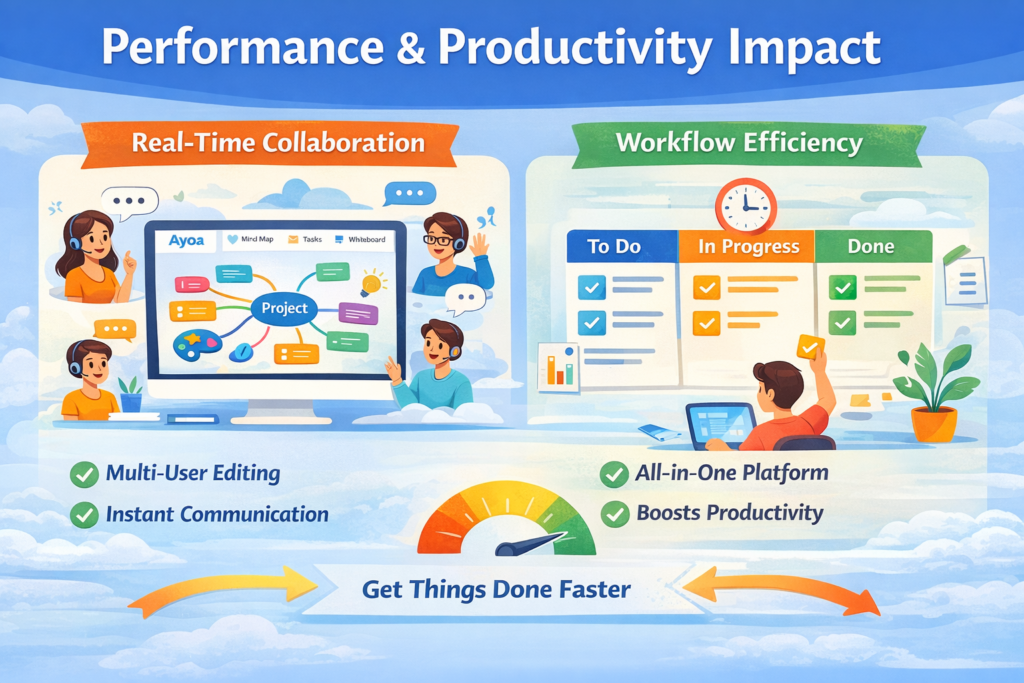
Ayoa enables real-time collaboration, allowing multiple users to work on the same project simultaneously. This improves communication and ensures everyone stays on the same page.
Workflow Efficiency
By combining brainstorming and task management, Ayoa reduces the need for multiple tools. This streamlined approach improves efficiency and helps users focus on what really matters—getting things done.
Pros and Cons of Ayoa
Advantages
- Combines mind mapping and task management
- Strong collaboration features
- AI-powered brainstorming
- User-friendly interface
- Cross-platform support
Disadvantages
- Limited free plan
- Some features locked behind paid tiers
- Slight learning curve for new users
Ayoa vs Competitors
\
Ayoa vs Trello
While Trello focuses mainly on task management, Ayoa offers both mind mapping and task management, making it more versatile.
Ayoa vs Asana
Asana is powerful for project management, but Ayoa stands out with its visual approach and creativity-focused tools.
Real User Reviews & Ratings
Ayoa has an impressive 4.5/5 rating from over 200 users, highlighting its reliability and effectiveness.
Users often praise its visual interface and collaboration features, though some mention pricing as a concern.
Best Use Cases of Ayoa
Ayoa is ideal for:
- Brainstorming and idea generation
- Project planning and management
- Team collaboration
- Content creation and strategy
- Educational purposes
Final Verdict
Ayoa is more than just a productivity tool—it’s a creative workspace that bridges the gap between thinking and doing. Its combination of mind mapping, task management, and AI makes it one of the most versatile tools available today.
Conclusion
Ayoa stands out as a powerful and innovative solution for anyone looking to boost productivity and creativity. Its ability to transform ideas into actionable plans makes it a valuable tool for individuals and teams alike. While it may not be perfect, its strengths far outweigh its limitations, making it a top choice in the productivity software space.
Read Also:
Unlocking Wellness: How Your Super DE is Transforming the Superfood Industry
Tiqets: Your Ultimate Ticketing Platform for Seamless Travel and Attraction Bookings
Weight Watchers Online: Achieve Your Health Goals with Personalized Weight Loss Programs
TicketNetwork: Your Go-To Marketplace for Concert, Sports, and Event Tickets
The Rise of Kontist: Smart Banking Solutions for Modern Professionals
Why Novakid Global ARABIC Is a Game-Changer in Digital Language Education
Frequently asked questions
Yes, Ayoa offers a free plan, but it comes with limitations. Paid plans unlock more advanced features.
Its combination of mind mapping and task management in one platform sets it apart.
Absolutely. It offers strong collaboration features, making it ideal for teams.
Yes, Ayoa includes an AI assistant for brainstorming and idea generation.
Yes, Ayoa is available on web, desktop, and mobile platforms.