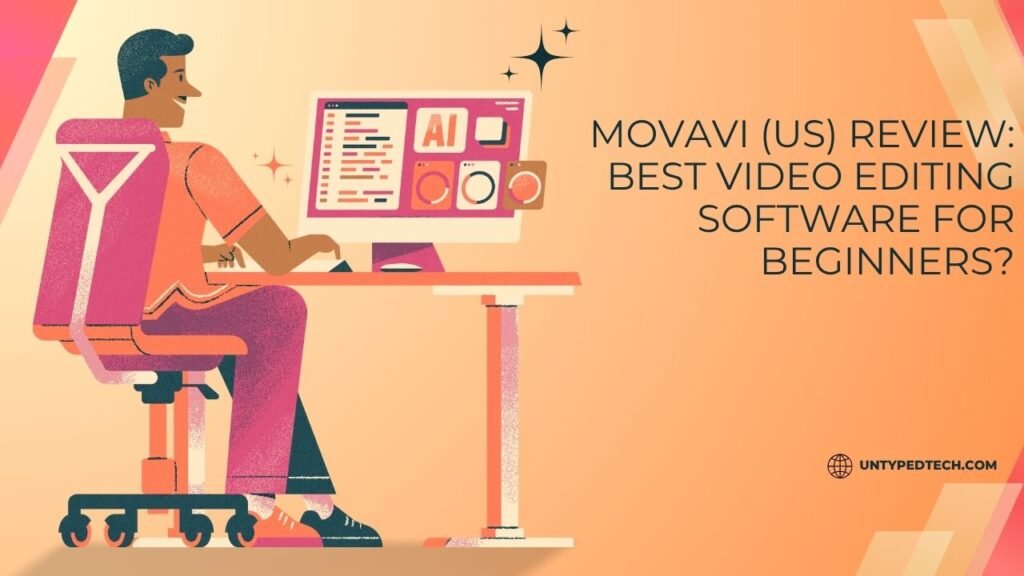
Discover whether Movavi Video Editor is the right choice for beginners in this detailed Movavi (US) review. This blog post explores its key features, user-friendly interface, pricing, pros and cons, and comparisons with popular competitors, helping you decide if Movavi (US) is the best video editing software to start your creative journey.
Table of Contents
ToggleIntroduction to Movavi Video Editor
What is Movavi?
If you’ve ever tried editing a video for the first time, you know how overwhelming it can feel. Complex timelines, confusing tools, and endless menus—most software makes beginners want to quit before they even start. That’s where Movavi steps in with a refreshing approach. Movavi Video Editor is designed specifically for people who want powerful editing tools without the headache of professional-grade complexity.
Movavi isn’t just another editing tool; it’s more like a friendly guide that walks you through the creative process. Whether you’re trimming clips, adding transitions, or applying cinematic effects, everything feels intuitive. Instead of forcing users to learn industry jargon, it focuses on simplicity and usability. This makes it particularly appealing to beginners who want results quickly without spending weeks learning software.
What sets Movavi apart is how it balances ease of use with functionality. It’s not a stripped-down editor; you still get features like color correction, motion tracking, and even AI tools. But the difference is that everything is presented in a way that feels approachable rather than intimidating. If you’re someone who wants to edit videos for YouTube, social media, or personal projects, Movavi positions itself as a perfect starting point.
Why It’s Popular in the US Market
In the US, video content creation has exploded over the past few years. Platforms like YouTube, TikTok, and Instagram have made video editing a necessary skill rather than a niche hobby. Movavi has capitalized on this trend by offering a tool that caters specifically to non-professional creators.
One major reason for its popularity is affordability. Compared to high-end software that requires subscriptions, Movavi offers a more budget-friendly option. This makes it accessible to students, freelancers, and hobbyists. Another factor is its quick learning curve—users can start editing within minutes of installation.
Additionally, Movavi frequently updates its software with new features and improvements, ensuring it stays relevant in a competitive market. Its growing reputation in the US is largely due to word-of-mouth recommendations from beginners who find it easy to use and surprisingly powerful.
Key Features of Movavi Video Editor
Drag-and-Drop Editing Interface
One of the first things you’ll notice about Movavi is how simple it feels. The drag-and-drop interface is like assembling puzzle pieces—you just place clips where you want them. There’s no need to memorize shortcuts or navigate complex timelines.
This simplicity doesn’t mean limited functionality. You can still trim, split, and merge clips effortlessly. The timeline is clean and well-organized, making it easy to visualize your project. For beginners, this is a huge advantage because it removes the intimidation factor that comes with traditional editing software.
Built-in Effects, Filters, and Transitions
Movavi comes loaded with a wide range of effects, transitions, and filters. Think of it as a toolbox filled with creative options. Whether you want cinematic color grading or fun social media effects, everything is available within a few clicks.
The best part is how these elements are categorized. Instead of searching endlessly, you can quickly find what you need. This saves time and keeps the editing process enjoyable. For beginners, having access to pre-designed templates and effects can make a huge difference in the final output.
AI-Powered Tools
Movavi has embraced modern technology by integrating AI features into its software. These tools simplify tasks that would otherwise require advanced skills. For example, background removal, noise reduction, and motion tracking can be done automatically.
This is where Movavi truly shines. It takes complex processes and turns them into one-click solutions. For someone new to editing, this feels like having a professional assistant working behind the scenes. It’s not just convenient—it’s empowering.
User Interface and Ease of Use
Beginner-Friendly Layout
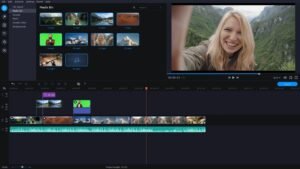
The layout of Movavi is designed with beginners in mind. Everything is clearly labeled, and the interface is clean without unnecessary clutter. You won’t feel lost navigating through menus.
Each section serves a clear purpose. The media library, preview window, and timeline are arranged logically. This makes the workflow smooth and intuitive. Even if you’ve never edited a video before, you can quickly understand how everything works.
Learning Curve Analysis
Let’s be honest—most editing software has a steep learning curve. Movavi breaks this pattern by offering a gentle learning experience. You can start editing within minutes, and as you explore more features, you gradually learn advanced techniques.
It’s like learning to drive an automatic car instead of a manual one. You focus on the journey rather than the mechanics. For beginners, this makes a huge difference because it keeps the experience enjoyable rather than frustrating.
Performance and System Requirements
Speed and Rendering Performance
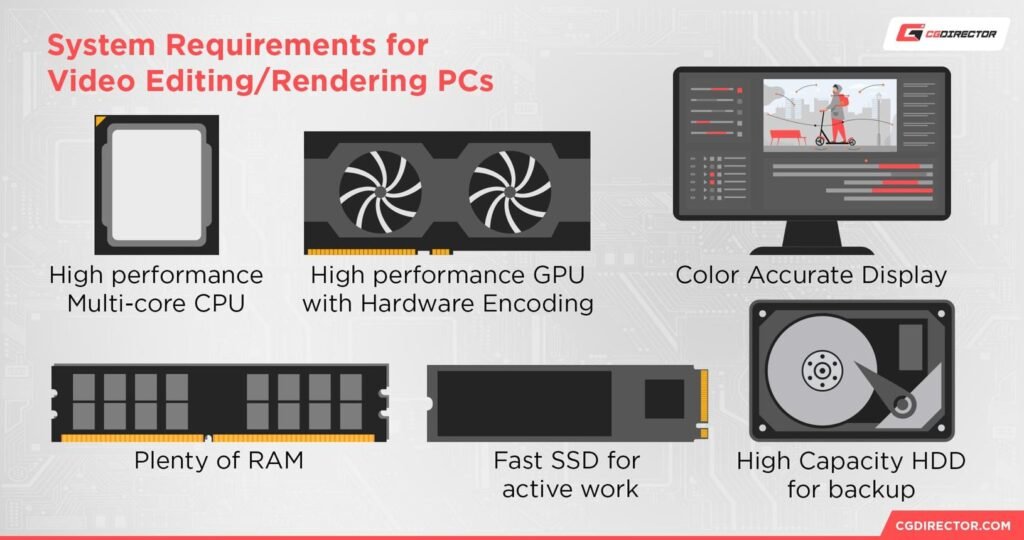
Performance is a critical factor when choosing video editing software. Movavi performs well even on mid-range systems, which is a big plus for beginners who may not have high-end hardware.
Rendering times are relatively fast, allowing you to export videos without long waits. This efficiency makes it suitable for quick projects and frequent edits. You won’t have to deal with constant lag or crashes, which can be a common issue with heavier software.
Compatibility with Devices
Movavi is compatible with both Windows and macOS, making it accessible to a wide range of users. It also supports various file formats, ensuring flexibility when importing and exporting videos.
This compatibility adds to its appeal, especially for users who want a reliable tool without worrying about system limitations.
Pricing and Plans (US)
Free vs Paid Version
Movavi offers a free version that allows users to explore its features. However, it comes with limitations such as watermarks on exported videos. The paid version removes these restrictions and unlocks additional features.
This approach gives users a chance to test the software before committing. It’s a smart strategy that builds trust and confidence.
Value for Money
When compared to other editing tools, Movavi provides excellent value for money. It offers a balance between affordability and functionality. For beginners, this is a great investment because it delivers professional-looking results without a high price tag.
Pros and Cons of Movavi
Advantages
Movavi stands out for its simplicity, speed, and accessibility. It’s perfect for beginners who want to create polished videos without spending hours learning software. The built-in effects and AI tools add significant value.
Limitations
While Movavi is great for beginners, it may not meet the needs of advanced users. Professionals might find it lacking in advanced features like multi-camera editing or complex color grading.
Movavi vs Competitors
Comparison with Adobe Premiere Pro
When compared to Adobe Premiere Pro, Movavi is much easier to use. Premiere Pro offers more advanced features but comes with a steep learning curve.
Movavi focuses on simplicity, making it ideal for beginners. Premiere Pro, on the other hand, is better suited for professionals.
Comparison with Filmora
Compared to Wondershare Filmora, Movavi offers a similar level of ease but with a cleaner interface. Filmora has more templates, while Movavi excels in performance and simplicity.
Best Use Cases for Movavi
YouTubers and Content Creators
Movavi is perfect for YouTubers who want to edit videos quickly. Its simple interface and built-in effects make it easy to create engaging content.
Students and Beginners
For students, Movavi is an excellent tool for projects and presentations. It’s easy to learn and doesn’t require advanced technical skills.
Tips to Get Started with Movavi
Installation Guide
Getting started with Movavi is straightforward. Simply download the software from the official website, install it, and launch the program. The setup process is quick and user-friendly.
First Project Walkthrough
Start by importing your media files, arranging them on the timeline, and adding transitions. Experiment with effects and export your video once you’re satisfied. The process is simple and enjoyable.
Conclusion
Movavi Video Editor proves that video editing doesn’t have to be complicated. It offers a perfect blend of simplicity, functionality, and affordability, making it one of the best choices for beginners. While it may not replace professional software for advanced users, it excels in its target audience—people who want to create videos without stress. If you’re just starting your editing journey, Movavi is definitely worth considering.
Read Also:
How Hussle Makes Gym Memberships Flexible and Affordable
Geld.nl Review: Is It the Best Comparison Platform for Loans & Insurance?
Top Benefits of Using Parcel ABC ES for International Delivery
Nominalia ES Beginner Guide: Everything You Need to Know
Why easyname DE is a Trusted Choice for Domain Registration
Frequently asked questions
Yes, Movavi is specifically designed for beginners with an easy-to-use interface and simple tools.
Yes, but it includes watermarks. The paid version removes these limitations.
Yes, it works well on mid-range and even some low-end systems.
It depends on your needs. Movavi is simpler, while Filmora offers more templates.
It’s ideal for YouTube videos, social media content, and beginner-level projects.