

Modern professionals often find themselves working across different operating systems. A designer may need macOS for creative workflows but Windows for industry-specific software. A developer may require multiple environments for testing applications. Businesses may want employees to use Macs while still accessing essential Windows-based tools. This is where Parallels Desktop has become one of the most recognized virtualization solutions available today.
Parallels provides a practical bridge between the Mac and Windows ecosystems by allowing users to run Windows applications directly on a Mac without requiring a separate computer. Instead of switching between devices or restarting the system, professionals can operate both operating systems side by side. This flexibility has made Parallels popular among developers, designers, engineers, IT teams, educators, and business users.
This complete review explores how Parallels works, its professional features, performance capabilities, pricing options, advantages, limitations, and whether it is the right virtualization solution for your workflow.
Table of Contents
ToggleUnderstanding Parallels and Its Role in Modern Virtualization
What Is Parallels Desktop?
Parallels Desktop is virtualization software designed primarily for Mac computers. It allows users to create a virtual machine (VM) where another operating system, especially Windows, can run inside macOS. Instead of installing Windows directly onto the Mac hardware, Parallels creates a virtual environment that behaves like a separate computer.
Think of virtualization as having a second computer hidden inside your existing computer. Your Mac remains the main system, but Parallels creates a digital workspace where Windows operates independently. You can open Windows applications, manage files, connect external devices, and perform professional tasks without leaving your macOS environment.
For professionals, this eliminates many compatibility problems. A marketing specialist might need Microsoft Office features available only on Windows. An architect may rely on Windows-only design applications. A software developer may need to test applications across different operating systems. Parallels makes these situations easier by combining multiple platforms into one workflow.
The biggest advantage is convenience. Traditional dual-boot systems require restarting the computer whenever you want to change operating systems. Virtualization removes this interruption. Users can keep macOS applications open while simultaneously running Windows software.
Why Professionals Choose Virtualization Solutions
Virtualization has become increasingly important because modern workplaces require flexibility. Companies are no longer limited to a single operating system environment. Many organizations use Macs for security, performance, and user experience while depending on Windows applications for business operations.
Parallels helps solve this challenge by creating a unified workspace. Professionals can access specialized applications without purchasing additional hardware. This reduces costs and simplifies IT management.
For developers, virtualization provides isolated testing environments. Instead of maintaining multiple physical computers, developers can create different virtual machines for testing software versions, operating systems, and configurations.
For businesses, centralized virtualization improves productivity. Employees can choose hardware based on preference while still accessing required corporate applications. This approach supports hybrid work environments where flexibility and efficiency are essential.
How Parallels Desktop Works on Mac Systems
Running Windows Applications Without Restarting Your Mac
One of the biggest reasons professionals use Parallels is the ability to run Windows applications without rebooting their Mac. Once Windows is installed through Parallels, users can launch Windows programs almost like native Mac applications.
For example, a user can edit a document in a Windows-based application while keeping Safari, Final Cut Pro, or other Mac applications open. Files can be transferred between operating systems using shared folders, drag-and-drop functionality, and clipboard integration.
This smooth interaction creates a workflow that feels natural. Users do not have to think about which operating system they are currently using because Parallels manages the transition automatically.
The software also supports different display modes. Users can run Windows in a traditional desktop window or use Coherence Mode, which integrates Windows applications directly into the Mac desktop. This means Windows programs appear alongside Mac applications in the same workspace.
Key Technology Behind Seamless Virtual Machines
Parallels uses advanced virtualization technology to allocate Mac hardware resources to virtual machines. It manages processor power, memory, graphics performance, storage, and network connections to create an efficient virtual environment.
Modern versions of Parallels are optimized for Apple Silicon chips, including M-series processors. These chips provide improved energy efficiency and performance, allowing virtualization to run more smoothly compared with older hardware generations.
The software automatically adjusts resource usage depending on workload. A simple office application may require minimal system resources, while demanding tasks such as software development environments or 3D applications may receive additional processing power.
This intelligent resource management helps professionals maintain productivity without constantly adjusting settings manually.
Main Features of Parallels Desktop for Professional Users
Coherence Mode and Productivity Improvements
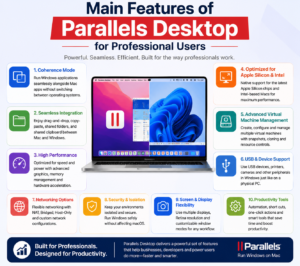
Coherence Mode is one of the most valuable features for professional users. It allows Windows applications to operate as if they are native Mac applications. Instead of seeing the complete Windows desktop, users can open individual Windows programs directly from macOS.
This feature is especially useful for people who frequently switch between operating systems. A user might have Microsoft Visio, Visual Studio, or enterprise software running beside Mac applications without confusion.
Parallels also provides shared clipboard functionality, allowing users to copy text, images, and files between operating systems. This small feature significantly improves workflow speed because users do not need complicated file transfer methods.
Another productivity feature is shared folders. Documents saved in specific locations can be accessed from both Windows and macOS. This creates a connected environment where files remain available regardless of the operating system.
Performance Optimization and Hardware Support
Performance is one of the most important factors when choosing virtualization software. Parallels focuses heavily on delivering a responsive experience that feels close to using a dedicated Windows computer.
The software supports advanced graphics acceleration, allowing users to run applications that require higher visual performance. Professionals working with design tools, development platforms, and productivity software can benefit from optimized hardware usage.
Memory allocation can also be customized. Users with powerful Macs can assign more resources to Windows virtual machines, improving performance for demanding workloads.
However, performance depends on the Mac hardware configuration. A machine with higher RAM and a faster processor will naturally provide a better virtualization experience than entry-level hardware.
Parallels Desktop Compatibility With macOS and Windows
Support for Apple Silicon and Intel-Based Macs
Parallels has adapted to major changes in Apple’s hardware ecosystem. Earlier Macs used Intel processors, while newer models use Apple Silicon chips. Parallels supports both environments, although the installation process differs.
Apple Silicon Macs generally run Windows through ARM-based versions of Windows. This approach provides excellent efficiency because it matches the architecture of modern Mac processors.
Intel-based Macs have broader compatibility because they can run traditional Windows versions designed for Intel processors. This makes older Mac systems useful for businesses that depend on legacy Windows applications.
Windows 11 Integration and Business Compatibility
Windows 11 has become the preferred Windows version for many Parallels users, especially on newer Macs. The integration allows professionals to access modern Windows features while maintaining the advantages of macOS hardware.
Businesses benefit from this compatibility because employees can use Mac devices while accessing Windows-based enterprise software. This is particularly valuable in industries where specialized applications are only available for Windows.
IT departments can also manage virtual environments more efficiently by creating standardized configurations for employees.
Benefits of Using Parallels for Businesses and Developers
Improving Workflow Efficiency
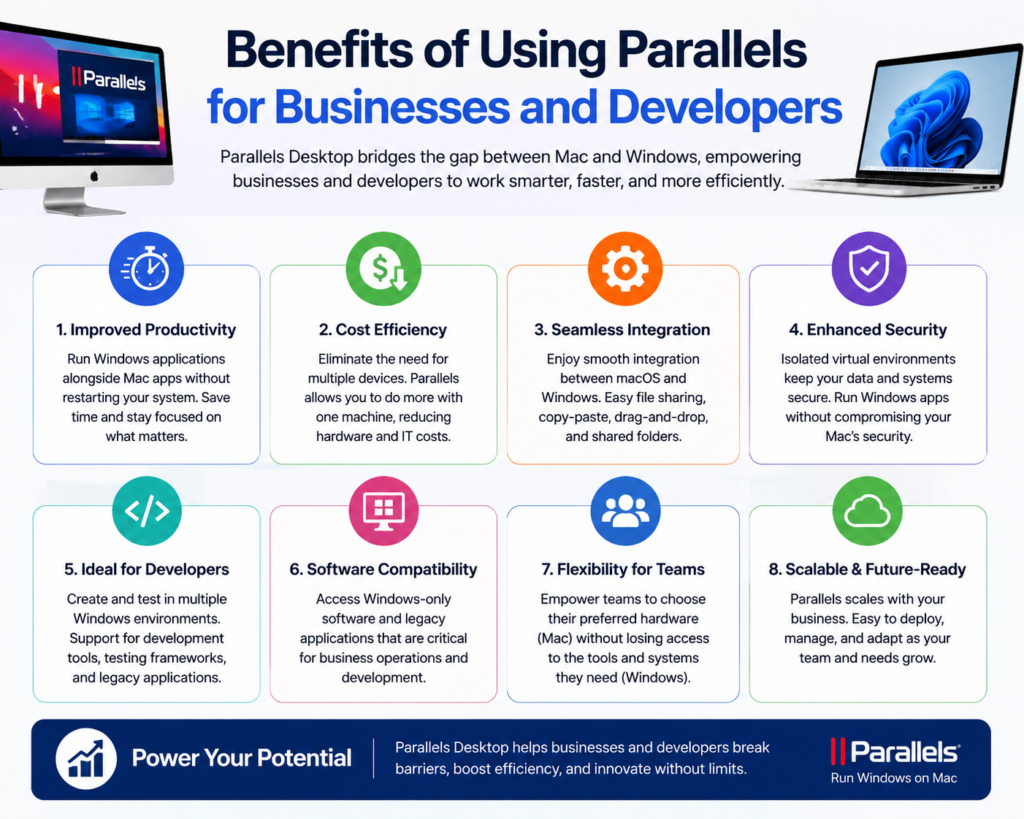
The biggest benefit of Parallels is improved efficiency. Professionals no longer need separate computers for different operating systems. A single Mac can become a complete multi-platform workstation.
This saves time because switching environments becomes instant. Instead of interrupting work to restart a computer, users can continue their tasks without delays.
For companies, this can reduce hardware expenses and simplify employee support. Teams can standardize devices while maintaining access to required software platforms.
Supporting Software Testing and Development Environments
Developers are among the strongest users of virtualization technology. Creating applications often requires testing across multiple environments.
With Parallels, developers can create virtual machines for different operating systems and software configurations. This helps identify compatibility issues before releasing products to customers.
Web developers, mobile developers, and enterprise software teams can benefit from having flexible testing environments without purchasing multiple physical devices.
Is Parallels Desktop Worth It for Professionals?
For professionals who regularly need Windows applications on a Mac, Parallels Desktop is one of the most convenient solutions available. It provides a balanced combination of performance, usability, and integration.
The software is especially valuable for developers, business users, designers, engineers, and organizations that operate in mixed environments.
However, users who only occasionally need Windows may find alternative solutions more suitable. Virtualization also requires enough system resources, meaning older Macs with limited memory may struggle with demanding workloads.
Overall, Parallels delivers a professional-grade virtualization experience that removes many barriers between macOS and Windows.
Pros and Cons of Parallels Desktop
Pros | Cons |
Runs Windows applications on Mac smoothly | Requires Windows licensing |
Excellent integration between macOS and Windows | Can consume significant system resources |
Supports Apple Silicon Macs | Subscription costs may be high for some users |
Useful for developers and businesses | Performance depends on hardware |
Easy setup process | Some specialized applications may have limitations |
Parallels is one of the most polished virtualization solutions available, but it is not perfect. Users should consider their workload, budget, and hardware capabilities before choosing it.
Parallels Desktop Pricing and Available Editions
Parallels generally offers different editions designed for different user groups. Pricing may vary depending on subscription plans, promotions, and regional availability.
Edition | Target Users | Main Features |
Standard Edition | Home users and general professionals | Windows applications, basic virtualization tools |
Pro Edition | Developers and advanced users | More resources, advanced networking, professional tools |
Business Edition | Organizations and IT teams | Central management, business deployment features |
The Standard edition works well for everyday professionals who need occasional Windows access. Developers and technical users may prefer the Pro edition because it provides additional control and performance options.
Businesses managing multiple devices often choose enterprise-focused versions because they simplify deployment and administration.
Conclusion
Parallels Desktop has established itself as a reliable virtualization platform for professionals who need flexibility between Mac and Windows environments. Its smooth integration, powerful features, Apple Silicon support, and productivity-focused tools make it a strong choice for modern workflows.
Whether you are a developer testing applications, a business user managing Windows software, or a creative professional requiring specialized tools, Parallels provides a practical solution without needing multiple computers.
For professionals who depend on both operating systems, Parallels is more than just virtualization software—it is a productivity bridge connecting two powerful ecosystems.
Read Also:
Top Trending Boots Styles That Are Worth Investing in This Year
Wise – Commission payout currency USD Guide: How to Receive International Payments
Why Choose Wise – Commission payout currency EUR for Global Commission Payments?
How Wise – Commission payout currency AUD Works for International Affiliates
Why Choose Wise – Commission payout currency GBP for Global Commission Payments?
Frequently asked questions
Yes, Parallels allows users to run Windows inside macOS without restarting the computer. Users can switch between Windows and Mac applications instantly.
Yes, Parallels supports Apple Silicon Macs, including newer M-series processors, by running compatible versions of Windows designed for ARM architecture.
Yes, developers often use Parallels because it allows them to create testing environments, run development tools, and check software compatibility across operating systems.
Parallels can use additional system resources, but performance is generally smooth on modern Macs with sufficient RAM and processing power.
For many professionals, yes. Parallels provides faster switching between operating systems, while dual boot solutions require restarting the computer each time.