
10 Powerful Hostinger Features That Make Website Management Easy
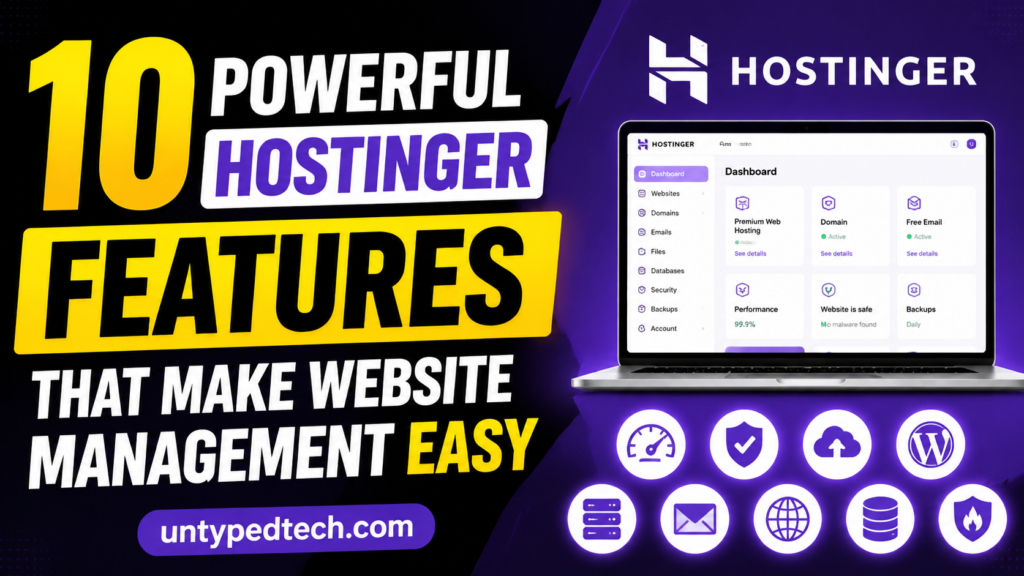
If you are looking for a simple yet powerful way to manage your website, then this blog post on “10 Powerful Hostinger Features That Make Website Management Easy” is perfect for you. It explores how Hostinger has become one of the most beginner-friendly and efficient hosting platforms in 2026. From its easy-to-use hPanel control panel to AI-powered website building tools, the article highlights how Hostinger simplifies every step of website management. Whether you are a beginner or a growing business owner, you will learn how Hostinger helps you save time, improve performance, and enhance website security without technical complexity. Introduction to Hostinger in 2026 Managing a website today is not just about uploading files or writing blogs; it is about speed, automation, security, and user experience. This is exactly where Hostinger stands out in the modern hosting industry. Over the years, Hostinger has evolved from a budget hosting provider into a full-scale website management ecosystem powered by AI tools, cloud infrastructure, and a highly simplified control panel known as hPanel. According to recent 2026 hosting reviews, it delivers around 99.96% to 99.99% uptime performance, making it one of the most stable budget-friendly hosting solutions available today . What makes Hostinger especially attractive is its ability to simplify complex technical operations. Instead of requiring advanced server knowledge, it allows beginners, freelancers, and businesses to manage websites effortlessly. From AI website creation to automated backups and built-in security, everything is designed to reduce manual workload. A single dashboard streamlines even more complex tasks like email setup, WordPress installation, and DNS configuration. Millions of people now depend on Hostinger for website maintenance because of this move toward simplicity. Why Hostinger Became a Global Hosting Leader The rise of Hostinger is not accidental; it is the result of a carefully structured strategy focused on affordability, usability, and performance. Unlike traditional hosting companies that depend heavily on complex dashboards like cPanel, Hostinger built its own ecosystem to improve user experience. This includes hPanel, AI-powered tools, and optimized server infrastructure powered by LiteSpeed technology. Recent industry comparisons also show that Hostinger often outperforms competitors in speed tests while still remaining significantly cheaper in entry-level pricing. Another reason behind its popularity is its global infrastructure. Hostinger operates data centers across multiple continents, including Europe, Asia, and North America, ensuring fast loading speeds worldwide. Combined with Cloudflare CDN integration, this reduces latency significantly for international audiences. Additionally, its AI assistant system, Kodee, automates tasks such as server configuration and troubleshooting, reducing the need for manual support intervention. In a competitive hosting market, Hostinger stands out because it balances three important factors: performance, simplicity, and affordability. This combination has made it one of the most recommended hosting providers for beginners and small businesses looking for scalable growth. Advanced Security Features Malware Protection, SSL, and Firewall Security is a major concern for any website owner, and Hostinger addresses this with multiple layers of protection. Every hosting plan includes a free SSL certificate, ensuring encrypted data transfer between users and websites. This improves both security and SEO ranking. In addition, Hostinger provides built-in malware scanning and firewall protection. These systems automatically detect suspicious activity and block potential threats before they can harm the website. DDoS protection is also included to prevent server overload attacks. This security ecosystem ensures that even beginners can run websites without worrying about complex cybersecurity management. hPanel Control Panel – The Heart of Management Clean Dashboard and Navigation System One of the strongest features of Hostinger is its custom-built control panel known as hPanel. Unlike traditional systems that feel cluttered and outdated, hPanel offers a clean and intuitive interface that organizes everything in one place. Users can manage domains, websites, emails, files, and databases without switching between multiple tools. This centralized structure makes website management far more efficient, especially for beginners who may feel overwhelmed by technical dashboards. The dashboard interface was created with ease of use in mind. Important metrics such as storage usage, bandwidth consumption, and uptime status are clearly displayed. Even non-technical users can understand what is happening with their website at a glance. This is one of the reasons why Hostinger is often recommended for first-time website owners. One-Click Website and App Management Another powerful aspect of hPanel is its one-click installation system. Users can install WordPress, Joomla, and other applications within seconds without manual configuration. As a result, complicated setup procedures are no longer necessary. Website migration is also simplified, allowing users to move existing websites with minimal downtime. The automation extends further into email setup, SSL activation, and domain linking. Everything is designed to reduce human effort while maintaining high reliability. This makes hPanel not just a control panel but a complete website management ecosystem. Top Benefits of Hostinger for Web Hosting Easy Website Management: Hostinger’s hPanel makes it simple to control websites, domains, and emails from one place without technical skills. Fast Website Performance Powered by LiteSpeed servers and SSD/NVMe storage for ultra-fast loading speed and better SEO rankings. AI-Powered Tools Built-in AI website builder helps create professional websites quickly without coding knowledge. Strong Security Protection Free SSL, firewall, and malware scanning keep websites safe from attacks and threats. AI Website Builder – Smart Site Creation AI-Powered Design Assistance The AI Website Builder inside Hostinger is one of its most innovative tools. Instead of manually designing a website, users can simply describe their business or idea, and the AI generates a complete website structure. This includes layout design, color schemes, and content suggestions. According to recent 2026 reports, this system can create functional websites within minutes, making it one of the fastest website-building solutions available today . This feature is especially useful for entrepreneurs who lack design or coding skills. The AI adapts to user input and improves design consistency automatically. It also provides real-time previews, helping users see changes instantly before publishing. Pre-Built Templates and Customization Alongside AI generation, Hostinger also provides a wide collection of professionally designed templates. These templates can be customized using drag-and-drop functionality. Without
Coohom Commission Program for Beginners: Step-by-Step Success Guide

Discover how the Coohom Commission Program works and learn step-by-step strategies to start earning affiliate commissions. This beginner-friendly guide covers account setup, affiliate links, promotion methods, commission structure, and proven tips to maximize conversions and grow your income with the Coohom Commission Program. Introduction to Coohom Commission Program The Coohom Commission Program is one of those modern affiliate systems that quietly opens a door to earning money online by promoting a powerful 3D design and visualization platform. Instead of selling physical products or managing inventory, you simply refer users to Coohom using a unique tracking link, and when they purchase a plan, you earn a commission. It feels almost like recommending a good restaurant to a friend, except this time your recommendation can turn into real income. Coohom itself is widely known in the interior design and architecture space as a cloud-based design tool used for creating photorealistic renders and floor plans. Because of its global user base and subscription model, the affiliate system becomes a natural extension of its ecosystem. According to Coohom’s official affiliate documentation, anyone with a website, blog, or social media presence can apply and start promoting once approved. What makes Coohom different in affiliate marketing Unlike traditional affiliate programs that promote random products, Coohom focuses on a high-value niche: 3D design and visualization. This makes it easier for creators in architecture, interior design, or home decor to connect with the audience. The product itself solves a real professional problem, which increases conversion potential significantly compared to generic affiliate offers. Understanding How the Coohom Affiliate System Works At its core, the Coohom Commission Program works through a referral tracking system. When you share your affiliate link and someone clicks on it, the system stores a cookie in their browser. If that user later signs up or purchases a subscription, the system attributes the sale to you. This is the backbone of affiliate marketing: track, attribute, and reward. Tracking links and commission flow Once you join the program, you get access to a dashboard where you can generate unique links. These links are embedded with your affiliate ID. Every click is recorded, and any conversion (sign-up or purchase) is credited to your account. Cookie tracking and attribution basics Coohom typically uses a cookie tracking window of around 30 days, meaning if a user purchases within that time after clicking your link, you still earn commission . This gives beginners a fair chance because users rarely purchase software instantly—they usually explore first. Eligibility and Requirements to Join Coohom Program The Coohom affiliate program is designed to be beginner-friendly, but it still expects basic credibility. Who can apply You can join if you have: A blog or website A YouTube channel Social media pages (Instagram, Facebook, TikTok) Design-related online communities Any platform where you can promote publicly The key requirement is simple: you must have an audience or traffic source. Even small creators can apply as long as their content is genuine and relevant. Best Platforms to Promote Coohom for Beginners Choosing the right platform can completely change your results. Beginners often fail not because of the program, but because they promote in the wrong places. Blogging and SEO websites Blogging is one of the strongest methods. You can write articles like: “Best Interior Design Software for Beginners” “Coohom Review and Tutorial” “How to Create 3D Room Designs Online” SEO-driven content helps you bring long-term organic traffic, which is essential for passive income. YouTube and social media strategies YouTube is extremely powerful for Coohom because it’s a visual tool. You can create: Software tutorials Design walkthroughs Before/after render videos Short-form content on Instagram or TikTok also works well for quick engagement and link clicks. Step-by-Step Guide to Joining Coohom Commission Program Getting started is straightforward, but following each step properly improves your approval chances. Creating your affiliate account First, visit the official Coohom affiliate registration page and fill out your details. You’ll need to provide: Basic personal or business information Your promotional platform links A short description of how you plan to promote Coohom Once submitted, your application goes into review. Approval and onboarding process After approval, you receive an email containing access to your affiliate dashboard. From here, you can generate links, track performance, and access marketing materials. According to Coohom’s affiliate guide, approval depends heavily on the authenticity of your promotional platform. How to Generate Your First Affiliate Link The simplest yet most crucial step is creating your first connection once you’re inside your dashboard. Dashboard navigation Inside the affiliate panel, you will find a “Create Link” or “Generate Link” option. You simply: Select the Coohom page or product you want to promote Generate a unique tracking URL Copy and share it across your platforms That link becomes your digital earning tool. Every click starts your commission journey. Commission Structure and Earnings Potential Coohom offers a performance-based commission model, meaning your earnings depend entirely on successful referrals. Join Now How payouts are calculated When a user subscribes to a paid Coohom plan using your link, you earn a percentage of that sale. Some affiliate networks associated with Coohom offer up to 30% commission rates depending on the deal structure . Your income depends on: Traffic quality Conversion rate Content relevance Audience trust Effective Strategies to Maximize Conversions If you want real results, you need more than just links—you need strategy. Content marketing approach Instead of randomly posting links, build value-driven content. For example: “Step-by-step Coohom tutorial for beginners” “How architects use Coohom for client presentations” “Top 5 interior design tools compared” People trust educational content more than promotional posts. Common beginner mistakes Many beginners fail because they: Spam links without context Target the wrong audience Ignore SEO Don’t build trust before promoting Affiliate marketing is not about selling—it’s about guiding decisions. Tracking Performance and Analytics Once your links start getting traffic, the dashboard becomes your best friend. Understanding dashboard metrics You will typically see: Clicks Sign-ups Conversions Commission earnings These metrics help you understand what content
Bluehost vs Competitors: Which Hosting Service Offers Better Value?
If you’re considering Bluehost for your website, it’s important to see how it compares with other leading hosting providers in 2026. This detailed comparison explores Bluehost’s pricing, performance, uptime, customer support, security features, and WordPress tools alongside top competitors like Hostinger, SiteGround, DreamHost, and A2 Hosting. Learn the strengths and weaknesses of each provider, understand long-term hosting costs, and discover which platform delivers the best overall value. Whether you’re a beginner, blogger, business owner, or developer, this guide helps you choose the right hosting solution for your specific needs. Introduction Choosing the right web hosting provider in 2026 isn’t just about picking a name you recognize. It’s about finding a company that gives you real performance, fair pricing, strong support, and long‑term value. For years, Bluehost has been one of the biggest names in hosting—especially for WordPress users. But as the market evolves with faster servers, smarter tools, and more competitive pricing, many webmasters are asking: Is Bluehost still worth it, or do competitors offer better value? In this deep, conversational comparison, we’ll explore how Bluehost stacks up against key rivals like Hostinger, SiteGround, DreamHost, and A2 Hosting to help you decide where your website should be hosted. Understanding Web Hosting in 2026 In plain terms, web hosting is the digital “real estate” your website lives on. Think of it as the foundation underpinning your online presence. Just like land value affects how successful a business can be, your hosting affects how fast your site loads, how reliably it stays online, how secure it is, and ultimately how well it ranks in search engines. In 2026, web hosting expectations have transformed—sites need near‑instant speed, ultra‑high uptime, strong security, and excellent support. And with so many options available, price alone no longer equals value. What Bluehost Offers Bluehost is one of the most recognizable hosting brands worldwide. It’s been officially recommended by WordPress.org for many years, earning it trust among bloggers and small business owners alike. Shared Hosting Plans and Prices Bluehost’s shared hosting typically starts at a promotional rate around $2–$3 per month with a free domain name for the first year and free SSL certificates included. However, this price often jumps significantly at renewal—often more than doubling—which is a pattern many users find discouraging. WordPress Integration and Tools The platform offers one‑click WordPress installation, basic staging, a free domain, and a hosting dashboard geared toward beginners. Being WordPress.org recommended gives Bluehost a legitimacy that many competitors don’t have. Performance Expectations Recent data suggests that Bluehost’s response times and overall speeds are respectable but not class‑leading. Some performance tests show average TTFB (time to first byte) numbers in the 300ms+ range, which is decent but slower compared to many newer hosts like Hostinger and SiteGround. Despite this, Bluehost has made recent infrastructure upgrades, including a global data center expansion aimed at reducing latency and improving performance globally. Common Criticisms of Bluehost While Bluehost’s popularity is undeniable, many users highlight recurring issues that affect long‑term value. Renewal Price Increases The low intro price often leads users to sign up, only to see their bill nearly triple at renewal. This pricing strategy is common across many legacy hosts, but it significantly increases total cost over time. Performance & Uptime Issues Though Bluehost maintains decent uptime figures, independent tests and user reviews suggest that competitors frequently outperform Bluehost in real‑world uptime and speed. Some users also report mixed experiences with customer support responsiveness. Best Hosting for Beginners If you’re launching your first blog or site, Bluehost remains user‑friendly with guided onboarding and easy WordPress setup. However, Hostinger’s intuitive panel and lower renewal pricing make it a tough beginner favorite. Competitor Overview Let’s look at some of Bluehost’s strongest alternatives in 2026—each with different strengths and value propositions. Hostinger: Best Overall Value According to hosting tests, Hostinger consistently delivers faster speeds than Bluehost with lower or comparable pricing, including better renewal rates for many plans. Hostinger’s custom hPanel is widely regarded as easy to use and beginner‑friendly, and many plans bundle value‑added features like weekly backups and free CDN. SiteGround: Performance and WordPress Focus SiteGround targets performance and reliability. With robust WordPress tools, staging environments, and Google Cloud infrastructure, it’s ideal for users who want speed and scalability. However, SiteGround’s renewal prices can be among the highest in shared hosting. DreamHost: Best for Honest Pricing DreamHost stands out for its fair renewal pricing and generous money‑back guarantee—years longer than what Bluehost offers. It also guarantees uptime and doesn’t use aggressive upsells, which many users appreciate. A2 Hosting: Speed Demon A2’s Turbo servers are designed for speed, delivering some of the quickest response times on shared hosting plans. While pricing is a bit higher than the entry‑level hosts, performance can justify the cost for many websites. Speed and Uptime Performance is vital—slow websites frustrate users and hurt SEO. Most independent benchmarks show all major alternatives outperform Bluehost in TTFB and uptime, with some hosts achieving uptime above 99.99% consistently. Join Now Feature‑by‑Feature Comparison Pricing and Renewal Costs One of the most critical factors in long‑term hosting value is renewal pricing. Many Bluehost competitors offer lower or more predictable renewals: Provider Intro Price Renewal Price Bluehost ~$2–$3/mo ~$10–$12+/mo Hostinger ~$2.99/mo ~$7–$10/mo SiteGround ~$3/mo ~$17.99/mo DreamHost ~$2.59/mo ~$4.95/mo A2 Hosting ~$2.99/mo ~$12.99/mo Here we see Bluehost’s renewal prices tend to be higher than several alternatives, especially DreamHost and Hostinger, which offer better long‑term ROI. Support Options Although Bluehost provides phone assistance, which is uncommon for its pricing range, customer opinions regarding the quality of the service are conflicting. Other hosts like SiteGround and DreamHost excel in support training and responsiveness. WordPress & Website Tools Bluehost’s integration with WordPress is strong thanks to its official recommendation, but hosts like SiteGround bring additional WordPress tools (staging, advanced caching) that many users find more powerful. Pricing Deep Dive Beyond monthly costs, total cost of ownership over years matters most. A 3‑year cost analysis often shows savings ranging from tens to hundreds of dollars when switching from Bluehost to cheaper
How Legal Templates Simplifies Business and Personal Documentation

Legal paperwork has always had a reputation for being intimidating. One glance at a multi-page agreement filled with dense legal terms can make anyone feel overwhelmed. Whether you are a startup founder trying to draft a client agreement, a freelancer sending a contract, or an individual preparing a rental agreement, documentation often feels like a maze with hidden traps. That is exactly where legal templates have transformed the modern workflow. Instead of spending thousands on repetitive legal drafting or wasting hours building documents from scratch, people now rely on ready-made, customizable templates that simplify everything. What Are Legal Templates? ground up each time, you start with a proven structure and customize it to fit your needs. Legal templates work exactly the same way. They are pre-designed legal documents created by professionals to cover common agreements, contracts, and forms. Users simply edit names, dates, payment terms, responsibilities, and other details to create a legally usable document within minutes. These templates are available for nearly every purpose imaginable.Individuals use them for wills, rental agreements, loan agreements, and personal affidavits. The beauty lies in their simplicity. You do not need to be a lawyer to understand the framework because modern legal template platforms are increasingly designed with plain language and guided customization. Why They Have Become Popular The explosion of remote work, freelancing, online businesses, and digital transactions has fueled the popularity of legal templates. Businesses are now operating faster than ever before. Deals are signed online, clients are onboarded digitally, and partnerships often begin across countries without face-to-face meetings. Traditional legal drafting simply cannot keep pace with this speed. Another major factor is cost efficiency. Hiring a lawyer for every routine agreement can become financially exhausting, especially for small businesses and solopreneurs. Legal templates offer a middle ground. They provide professionally structured documents without the heavy legal fees attached to custom drafting. According to industry data, businesses using digital documentation systems and e-signatures save significant operational costs while improving workflow speed. Traditional Legal Drafting vs Modern Templates There was a time when every legal document was handcrafted like a luxury watch. Lawyers manually drafted contracts line by line, reviewed every clause individually, and stored physical copies in massive filing cabinets. While this approach still matters for complex legal matters, it created enormous delays for routine documentation. Businesses often waited days or weeks just to finalize a simple agreement. The Role of Digital Transformation Technology has completely reshaped how documentation works. Today, cloud-based legal platforms allow users to generate contracts instantly, edit them online, share them with multiple stakeholders, and collect signatures from anywhere in the world. That level of convenience would have sounded futuristic twenty years ago. Digital transformation also improved document security and tracking. Businesses can now monitor who opened a document, when it was signed, and what changes were made. Audit trails create transparency that traditional paperwork often lacked. Platforms integrated with e-signatures have made contracts not only faster but also more reliable. Time-Saving Advantages Time is the currency of modern business. Every unnecessary delay costs money, opportunities, and productivity. Legal templates dramatically reduce the time spent creating routine documents. Instead of waiting for legal review on every small agreement, teams can use approved templates immediately. How Individuals Benefit from Legal Templates Simplifying Personal Agreements Legal documentation is not only for corporations and law firms. Ordinary people deal with agreements constantly, often without realizing how important proper documentation can be. From lending money to a friend to renting a property or writing a will, legal clarity matters in everyday life. Legal templates simplify these situations tremendously. Instead of relying on verbal promises, individuals can create clear written agreements quickly. This protects relationships because expectations become transparent from the beginning. It is similar to setting ground rules before starting a game. Everyone understands the boundaries and responsibilities. Easy Access to Legal Protection One of the biggest advantages of legal templates is democratization. Legal protection is no longer limited to those with large budgets. Affordable templates allow individuals to document important arrangements without expensive consultations for every routine need. This accessibility becomes especially important in the digital economy. Freelancers, creators, consultants, and remote workers regularly interact with clients across regions. A proper contract protects payment terms, ownership rights, confidentiality, and deadlines. Without documentation, misunderstandings become far more likely. Common Types of Legal Templates Business Contracts Business contracts are among the most widely used legal templates. Service agreements, partnership contracts, sales agreements, and non-disclosure agreements are essential for daily operations. Employment Agreements Hiring employees involves multiple legal responsibilities. By standardizing terminology pertaining to pay, benefits, confidentiality, and workplace norms, employment templates streamline the onboarding process. Companies save time while ensuring compliance consistency. Rental and Lease Documents Landlords and tenants both benefit from clear lease agreements. Templates define rent amounts, maintenance responsibilities, security deposits, and occupancy rules. Clear documentation reduces disputes and improves accountability. Personal Legal Forms Personal templates include wills, loan agreements, affidavits, power of attorney forms, and family-related agreements. These documents help individuals formalize important decisions without excessive complexity. Template Type Common Users Main Benefit Service Agreement Freelancers & Agencies Defines project terms NDA Businesses & Startups Protects confidential information Employment Contract HR Departments Standardizes hiring Rental Agreement Landlords & Tenants Clarifies property rules Will Template Families & Individuals Organizes estate planning E-Signatures and Automation Technology has turned legal documentation into a seamless digital experience. E-signatures allow agreements to be signed instantly from laptops or smartphones. Businesses no longer depend on printing, scanning, or courier services to finalize deals. Join Now Cloud Storage and Accessibility Teams working remotely can collaborate on contracts in real time. Individuals can retrieve agreements instantly without searching through physical folders. Accessibility also improves disaster recovery. Physical paperwork can be lost, damaged, or misplaced. Cloud-based systems create backups and maintain document histories securely. Businesses gain operational resilience, while individuals gain peace of mind knowing important agreements remain safely stored online. When Templates May Not Be Enough Despite their advantages, legal templates are not magical solutions for every
Top Features of Bubble Every Startup Founder Should Know

The startup world moves at breakneck speed. One day you’re sketching your app idea on a napkin, and the next day your competitor is already testing a beta version. That’s exactly why no-code development platforms like Bubble have become a secret weapon for founders who want to launch faster without hiring a massive engineering team. Bubble has evolved far beyond being “just another no-code builder.” In 2026, it’s widely used for SaaS products, marketplaces, CRMs, AI-powered platforms, and internal tools. Recent reports show millions of apps have already been built using Bubble’s ecosystem. Why Bubble Has Become a Favorite Among Startup Founders Startup founders often face the same painful dilemma: spend months building an MVP with developers or risk launching late while competitors gain momentum. Bubble changes that equation dramatically. Instead of requiring deep coding knowledge, it allows founders to visually create applications while still offering serious functionality. That’s a huge shift in how software products are launched today. According to recent Bubble ecosystem data, the platform powers millions of applications and billions of yearly page views. Visual Drag-and-Drop Editor The drag-and-drop editor is probably the first thing most founders notice when opening Bubble. Instead of writing HTML, CSS, or JavaScript, users visually place elements on pages and customize them directly. Buttons, forms, repeating groups, images, navigation bars, and workflows can all be assembled visually. What makes Bubble’s editor powerful is that the visual layer is deeply connected to functionality. In many website builders, design exists separately from logic. Bubble combines them together. A button isn’t just a design object; it can trigger workflows, connect to databases, process payments, send emails, or launch API calls instantly. This fusion of frontend and backend functionality allows founders to experiment rapidly with product ideas. Built-In Database Management One of Bubble’s strongest features is its integrated database system. Unlike simple website builders that rely heavily on external tools, Bubble includes a native relational database that stores and manages application data directly inside the platform. For founders, this eliminates the headache of configuring separate backend infrastructures during the MVP phase. Powerful Workflow Automation Workflows are the beating heart of Bubble applications. They control how apps behave when users interact with them. Instead of writing backend code, founders visually create logical sequences triggered by actions like button clicks, form submissions, or database changes. It’s essentially programming without syntax. For example, imagine a user signing up for a startup’s SaaS platform. In Bubble, one workflow can instantly create the user account, send a welcome email, assign a subscription plan, generate onboarding tasks, and notify the admin team simultaneously. No backend engineer required. That level of automation is why Bubble appeals strongly to founders building operationally complex businesses. Bubble AI Features Bubble has aggressively embraced AI-powered development in 2026, making the platform even more attractive for founders who want to move fast. One of the most exciting additions is Bubble’s AI app generator, which allows users to generate functional application structures from prompts. Instead of starting from a blank canvas, founders can describe the type of app they want, and Bubble automatically creates layouts, backend structures, workflows, and suggested features. This dramatically reduces setup time for MVPs. Imagine describing your dream office to an architect and instantly receiving a near-finished blueprint. That’s essentially what Bubble AI does for app development. API Integrations and Plugin Ecosystem Modern startups rarely operate in isolation. Businesses depend on payment processors, CRMs, analytics platforms, communication systems, and AI services. Bubble understands this reality extremely well. Its API integration capabilities are one of the platform’s strongest competitive advantages. Bubble supports connections with external services like Stripe, OpenAI, Google Maps, Segment, and countless other APIs.This means founders can extend their apps far beyond Bubble’s native capabilities without custom backend engineering. Native Mobile App Development One major criticism Bubble faced in earlier years was limited native mobile support. That’s changing rapidly. Bubble now includes native mobile development capabilities, allowing founders to build apps for both iOS and Android directly from the platform. This feature is huge for startups because maintaining separate web and mobile codebases traditionally requires large engineering resources. Bubble simplifies that by offering a unified development environment. Founders can design experiences once and adapt them across devices. Collaboration and Version Control As startups grow, collaboration becomes critical. Bubble includes version control and branching features that allow teams to work safely without breaking production apps. This is particularly important for startups where rapid iteration and experimentation are constant. Join Now Security and Hosting Infrastructure Security often becomes an afterthought for early-stage startups, but Bubble includes several built-in protections that help founders avoid dangerous mistakes. According to Bubble’s documentation, the platform includes encryption, privacy controls, hosting infrastructure, and compliance support directly out of the box. Bubble supports TLS encryption during data transmission and AES-256 encryption for stored data. The platform is also SOC 2 Type II compliant and aligns with GDPR standards, which matters for startups handling sensitive customer information. Performance, Limitations, and Scalability Bubble is powerful, but it isn’t magic. Startup founders should understand both its strengths and limitations before committing fully. The platform excels at MVPs, SaaS products, marketplaces, dashboards, internal tools, and workflow-heavy applications. The biggest advantage is speed. Founders consistently report shipping features in days instead of weeks.That rapid iteration cycle can mean survival in highly competitive markets where being first matters more than having perfect infrastructure. Bubble Pricing and Cost Efficiency Cost efficiency is one of Bubble’s biggest selling points for startups. Traditional software development can easily consume tens of thousands of dollars before a product even launches. Bubble dramatically lowers that entry barrier. The platform offers a free tier for testing and prototyping, while paid plans scale based on usage and features.For many founders, this pricing structure feels far more accessible than hiring full engineering teams immediately. The real savings come from compressed timelines. A founder using Bubble can validate an idea in weeks instead of spending months coordinating developers, backend engineers, designers, and DevOps specialists. Faster validation means
Why Businesses Choose 10Web for Faster Website Development
Modern businesses move fast. Customers expect websites to load instantly, look professional on every device, and deliver a seamless user experience from the very first click. At the same time, companies are under pressure to launch websites quickly without burning through massive budgets or waiting months for developers to finish the job. That’s exactly why platforms like 10Web are becoming increasingly popular among startups, agencies, freelancers, and established businesses alike. According to recent platform data, more than 2 million websites have already been created using 10Web’s AI-powered ecosystem. Businesses are turning toward AI website builders not just because they’re trendy, but because they solve real-world problems: speed, scalability, automation, performance, and cost efficiency. Traditional website development often feels like building a skyscraper brick by brick. 10Web changes the game by using AI to assemble most of the structure automatically while still giving businesses full control over customization and ownership. The Increasing Need for Quicker Website Development Businesses today operate in a hyper-competitive digital world where speed often determines success. Imagine launching a new product campaign but waiting six weeks for a landing page to go live. By the time the site is ready, the opportunity may already be gone. That’s why faster website development is no longer a luxury; it’s a business necessity. Companies want websites that can be created, edited, optimized, and launched rapidly without sacrificing quality or performance. Traditional development workflows can be painfully slow. A standard web project often involves designers, frontend developers, backend developers, copywriters, SEO specialists, QA teams, and hosting engineers. Every revision creates delays. Every change request increases costs. Small businesses and startups especially struggle with these challenges because they don’t always have the resources to maintain a full-scale development team. In many cases, entrepreneurs spend more time coordinating website projects than actually growing their businesses. What Is 10Web? 10Web is an AI-powered website building and hosting platform focused primarily on WordPress websites. The platform combines artificial intelligence, website hosting, optimization tools, and drag-and-drop editing into a unified ecosystem. Rather than forcing businesses to piece together multiple services from different providers, 10Web attempts to centralize the entire workflow. One of the reasons businesses gravitate toward 10Web is its balance between automation and flexibility. Some AI website builders are incredibly easy to use but restrictive when it comes to ownership or customization. Others offer flexibility but require technical expertise. 10Web bridges this gap by providing AI-assisted website generation while maintaining the openness of WordPress. Businesses keep full ownership of their sites, plugins, and content. Why WordPress Users Prefer 10Web WordPress powers a massive portion of the internet because it offers flexibility, plugin support, and ownership. Businesses love WordPress, but they often hate the complexity that comes with setting it up properly. That’s where 10Web creates a strong advantage. AI Website Generation Changes Everything The biggest reason businesses choose 10Web is simple: speed. Traditional website projects often take weeks or months. With 10Web, a fully functional WordPress website can reportedly be generated in under three minutes. That kind of acceleration fundamentally changes how companies approach digital projects. Think about the difference between writing a book by hand versus using predictive AI assistance. The writer still guides the process, but the heavy lifting becomes dramatically faster. That’s essentially how 10Web’s AI website generation works. The platform automates repetitive development tasks while still giving users control over the final result. The AI builder handles several critical areas simultaneously: Feature Traditional Process 10Web AI Process Website Structure Manual wireframing AI-generated sitemap Content Creation Human copywriting AI-generated text Design Layout Custom design work Automated responsive layouts Hosting Setup Separate configuration Integrated managed hosting SEO Preparation Manual optimization Built-in optimization tools Performance and Speed Optimization Research consistently shows that slow websites increase bounce rates and reduce customer satisfaction. Businesses know this, which is why performance optimization has become a top priority. 10Web for Agencies and Freelancers Agencies and freelancers face unique challenges in website development. They need to deliver projects quickly, manage multiple clients simultaneously, and maintain profitability without sacrificing quality. 10Web offers several features specifically designed for these workflows. One standout capability is white-label functionality. Agencies can brand the dashboard, notifications, domains, and user experiences with their own company identity. This allows agencies to present a more professional and cohesive experience to clients while leveraging 10Web’s backend infrastructure. Ecommerce Development Made Faster Ecommerce businesses operate in one of the fastest-moving digital environments imaginable. Product launches, seasonal campaigns, and marketing experiments happen constantly. Waiting weeks for development updates can seriously impact revenue opportunities. 10Web integrates directly with WooCommerce, enabling businesses to create ecommerce websites with AI assistance. This includes product pages, checkout systems, payment integrations, and responsive store layouts. Instead of manually configuring ecommerce infrastructure piece by piece, businesses can generate much of the store automatically. AI can assist with layouts, product structures, and even content generation. For entrepreneurs launching new online stores, this dramatically lowers the technical barrier. Real Business Benefits of Using 10Web At the end of the day, businesses care about results. Fancy AI features don’t matter unless they create tangible advantages. The reason companies choose 10Web ultimately comes down to practical business outcomes. Join Now Comparing 10Web With Other AI Website Builders Platforms like Wix, Hostinger, Squarespace, Framer, and Durable all compete for attention. So why do many businesses still choose 10Web? One key difference is ownership and flexibility. Many AI website builders prioritize simplicity but limit backend access and customization. 10Web, on the other hand, combines AI automation with the open architecture of WordPress. Here’s a simplified comparison: Platform Strength Limitation 10Web WordPress flexibility + AI Learning curve for advanced features Wix Beginner-friendly Limited backend flexibility Hostinger AI Affordable Less customization depth Squarespace Beautiful templates Limited plugin ecosystem Framer Design-focused Less traditional CMS flexibility Conclusion Website development is evolving rapidly, and AI-powered platforms are reshaping how businesses build their online presence. 10Web stands out because it combines AI automation, WordPress flexibility, managed hosting, ecommerce support, and performance optimization into one ecosystem. Instead of forcing businesses
Top Benefits of Joining the Coursera B2C Affiliate Program

The rise of online education has completely changed how people learn, upgrade skills, and build careers. A decade ago, most professionals relied on universities or expensive offline training centers. Today, platforms like Coursera have transformed education into something accessible from a laptop or smartphone anywhere in the world. Alongside this boom, affiliate marketing has become one of the fastest-growing online business models. Put those two together, and you get an opportunity that many creators, bloggers, YouTubers, and marketers are quietly leveraging: the Coursera B2C Affiliate Program. What Is Coursera? Coursera is one of the world’s largest online learning platforms, partnering with universities and companies like Stanford, Google, IBM, Meta, and Yale to deliver professional education online. The platform offers thousands of courses, professional certificates, specializations, and degree programs in subjects ranging from artificial intelligence and cybersecurity to marketing and project management. The beauty of Coursera lies in its ability to bridge the gap between academic learning and real-world career advancement. How the Affiliate Program Works The structure is refreshingly straightforward. After approval, affiliates receive unique tracking links and promotional materials. Whenever someone clicks the affiliate link and purchases an eligible course within the cookie period, the affiliate earns a commission. The cookie duration is currently 30 days according to multiple affiliate benchmark reports. The Explosive Growth of E-Learning The online education industry is no longer a niche corner of the internet. It’s a global economic force. Remote work, AI-driven industries, automation, and rapid technological change have created a world where continuous learning is practically mandatory. Professionals constantly need new certifications, technical skills, and industry knowledge just to stay competitive. Rising Demand for Career-Based Skills One reason the Coursera affiliate program performs well is that the platform aligns directly with job market realities. Employers increasingly value practical skills over traditional credentials alone. Certifications from recognized companies like Google, IBM, and Meta hold real-world value in hiring decisions. This creates an emotional trigger for buyers. A student purchasing a professional certificate is not just buying videos and quizzes. They’re buying hope, opportunity, and potential career advancement. That psychological factor makes educational affiliate offers more compelling than generic consumer products. Comparing Coursera With Other Affiliate Programs Many beginner affiliates make the mistake of chasing commission percentages alone. Reddit discussions among affiliate marketers repeatedly emphasize that conversion quality matters more than headline commission numbers. Commission Rates Explained Let’s talk money because that’s obviously a major reason people explore affiliate marketing in the first place.In the affiliate marketing world, those numbers are relatively competitive for educational products. Here’s a simplified comparison table: Feature Coursera Affiliate Program Average Education Affiliate Program Commission Rate 15%–45% Around 18% average Cookie Duration 30 Days Around 37 Days Product Catalog 4,000+ Courses Usually Smaller Brand Recognition Very High Varies Approval Difficulty Easy to Moderate Varies Partnerships With Top Universities Brand trust is everything in affiliate marketing. Consumers are increasingly skeptical online because scams, low-quality courses, and fake gurus dominate parts of the digital education space. Coursera stands out because it partners with legitimate universities and globally recognized companies. Consumer Trust Improves Conversion Rates Affiliate marketers often underestimate how much trust affects earnings. You can drive enormous traffic to a product, but if visitors don’t trust the brand, conversions remain weak. Coursera’s reputation helps overcome this challenge naturally. Join Now Huge Product Catalog Means More Earning Opportunities One of the strongest advantages of the Coursera affiliate program is product diversity. Affiliates are not trapped promoting a single type of course or audience segment. The catalog spans business, technology, healthcare, marketing, design, language learning, finance, AI, cloud computing, cybersecurity, and much more. Professional certificates appear especially attractive for affiliate marketers because they align closely with career outcomes. Certifications from Google, IBM, Meta, and similar companies often receive strong consumer interest because they promise practical job-related skills. Easy Entry for Beginners Many affiliate programs feel intimidating for beginners. Some require established traffic, advanced marketing experience, or complicated approval requirements. Coursera’s affiliate system is comparatively accessible. This benefit cannot be overstated. You need expertise, branding, payment processing, customer support, course creation tools, sales funnels, and ongoing updates. Affiliate marketing removes most of that burden. Strong Marketing Tools and Support Coursera provides affiliates with professionally designed banners, text links, and tracking capabilities through the affiliate platform. These tools help simplify promotion and campaign management. Coursera also supports affiliates with newsletters and updated product feeds. This may sound minor, but it’s actually valuable because educational trends change rapidly. Flexible Promotion Strategies SEO and affiliate marketing fit together almost perfectly. Educational content naturally performs well in search because users actively seek answers about careers, certifications, and skill development. The Coursera affiliate model works beyond blogging too. YouTube creators frequently build content around career advice, tech tutorials, productivity, and online learning recommendations. Educational videos naturally integrate affiliate promotions because audiences already seek learning solutions. Long-Term Content Monetization Passive income is often exaggerated online, but affiliate marketing genuinely offers long-term earning potential when approached strategically. Educational content ages more gracefully than many internet trends. A quality article about data analytics careers or cybersecurity certifications may continue attracting readers for years with minor updates. Evergreen Educational Content Education is fundamentally evergreen because learning never stops. Technologies evolve, industries shift, and workers continuously need new skills. This creates sustainable demand that supports long-term affiliate opportunities. Unlike fad-based niches that disappear quickly, online learning adapts with economic and technological changes. AI, automation, cloud computing, remote work, and digital transformation continue pushing professionals toward online education platforms. Conclusion The Coursera B2C Affiliate Program stands out because it combines several critical advantages rarely found together in affiliate marketing. Affiliates are not forced to sell questionable products or rely on gimmicky marketing tactics. Instead, they promote education, career advancement, and professional growth — products people actively seek and genuinely value. Read Also: Unlocking Wellness: How Your Super DE is Transforming the Superfood IndustryWeight Watchers Online: Achieve Your Health Goals with Personalized Weight Loss ProgramsTicketNetwork: Your Go-To Marketplace for Concert, Sports, and Event TicketsThe Rise
How Strategy12 Helps Improve Business Growth and Performance

In today’s competitive market, businesses are under constant pressure to grow faster, operate smarter, and outperform competitors. Companies are no longer struggling only with sales targets; they are also dealing with operational inefficiencies, shifting customer behavior, rising costs, digital disruption, and talent challenges. This is where strategic business frameworks such as Strategy12 come into play. Organizations that use structured growth methodologies often experience better alignment, improved decision-making, and measurable business results. Understanding the Core Concept of Strategy12 Strategy12 is more than just a business planning model. It is a structured approach that helps companies align their goals, processes, people, and performance metrics into one unified growth system. Think of it like the GPS of a business. Without a roadmap, even talented teams can move in the wrong direction. Strategy12 provides that roadmap by creating clarity around objectives, operational priorities, and measurable outcomes. What Makes Strategy12 Different What truly separates Strategy12 from traditional business planning models is its strong focus on execution, adaptability, and measurable outcomes. Many strategic frameworks look impressive on paper but fail in real-world implementation because they remain too theoretical. Strategy12 takes a more practical approach by connecting long-term business goals with everyday operational activities. Instead of creating strategies that sit untouched in boardroom presentations, it ensures that every department, employee, and process actively contributes to business growth and performance improvement. Why Businesses Need Structured Strategic Planning Businesses today operate in an environment filled with uncertainty, competition, and constant disruption. Without a clear strategic direction, even talented companies can lose momentum and struggle to achieve sustainable growth. Structured strategic planning provides businesses with a roadmap that helps them navigate challenges, allocate resources effectively, and stay focused on long-term goals. It transforms business operations from reactive problem-solving into proactive growth management. The Relationship Between Strategy and Business Growth Business growth rarely happens by accident. Companies that consistently expand market share, increase profitability, and strengthen customer loyalty typically operate with clear strategic direction. Studies show that businesses with well-defined strategies can achieve significantly higher annual growth rates than companies with vague or inconsistent planning systems.Strategy12 helps organizations create this clarity by defining priorities and aligning resources with measurable objectives. One of the biggest advantages of strategic planning is improved resource allocation. Businesses have limited budgets, limited time, and limited manpower. Without a strategic framework, resources often get wasted on low-impact activities. Strategy12 helps leaders identify the highest-value opportunities and focus investments where they can produce maximum returns. This disciplined approach reduces inefficiency and creates stronger financial performance over time. How Strategy12 Enhances Organizational Efficiency Operational inefficiency is one of the biggest hidden costs in business. Companies often lose revenue not because of weak products or poor marketing, but because internal systems create delays, confusion, and duplication of effort. Strategy12 helps organizations streamline operations by identifying bottlenecks and aligning processes with strategic priorities. Key Components of the Strategy12 Framework The Strategy12 framework operates through several interconnected components that collectively improve business growth and performance. One of the core elements is goal alignment. Successful companies ensure that every department, team, and employee understands how their work contributes to overall business objectives. When goals are disconnected, productivity suffers and confusion increases. Strategy12 eliminates this issue by creating a unified organizational direction. Data-driven decision-making forms another important pillar. Modern businesses generate enormous amounts of data, but raw information alone has little value unless properly analyzed. Strategy12 integrates analytics into strategic planning, helping leaders identify trends, forecast outcomes, and make informed decisions. This reduces emotional or impulsive decision-making and encourages evidence-based management practices that improve overall business performance. Strategy12 Component Business Benefit Goal Alignment Improved organizational focus KPI Measurement Better performance tracking Customer-Centric Planning Higher customer retention Data Analytics Smarter business decisions Continuous Evaluation Greater adaptability Strategy12 and Revenue Growth Revenue growth is one of the clearest indicators of business success, but sustainable growth requires more than aggressive selling. Strategy12 improves revenue generation by helping companies identify profitable opportunities, strengthen customer relationships, and optimize sales processes. One major advantage of Strategy12 is improved market analysis. Businesses frequently overlook profitable customer segments or emerging trends because they focus only on current operations. Strategic frameworks encourage companies to evaluate new markets, untapped customer groups, and evolving industry demands. This proactive approach creates opportunities for expansion before competitors recognize them. The Impact of Strategy12 on Leadership and Culture Strong leadership is one of the most important drivers of business performance. Even the best strategies fail when leadership lacks clarity, accountability, or communication skills. Strategy12 strengthens leadership effectiveness by creating systems that encourage transparency, responsibility, and long-term thinking. Join Now Technology and Analytics in Strategy12 Technology has transformed modern business strategy. Companies now have access to real-time data, predictive analytics, automation tools, and AI-driven insights that can dramatically improve decision-making. Strategy12 leverages these technologies to strengthen operational performance and strategic execution. Common Challenges Businesses Face Without Strategy12 Businesses operating without a structured strategic framework often encounter recurring problems that limit growth and profitability. One of the most common challenges is lack of clarity. Employees may not fully understand company goals, managers may prioritize conflicting objectives, and departments often operate independently rather than collaboratively. Industries That Benefit Most from Strategy12 While Strategy12 can improve performance across virtually any industry, certain sectors benefit particularly strongly from structured strategic frameworks. Technology companies, for example, operate in highly competitive and rapidly evolving environments. Strategic planning helps tech firms prioritize innovation, manage scalability, and align product development with market demand. Retail businesses also benefit significantly from strategic frameworks because customer behavior changes constantly. Strategy12 helps retailers optimize inventory management, improve customer experiences, and adapt marketing strategies to shifting trends. In an industry where margins are often tight, operational efficiency becomes critical. Measuring the Success of Strategy12 Implementation Implementing Strategy12 is only valuable if businesses can measure results effectively. Successful organizations establish clear KPIs that align with strategic objectives and monitor them consistently over time. Common performance indicators include revenue growth, profit margins, employee productivity, customer retention, and operational efficiency. Businesses should also evaluate
How Teamwork Improves Productivity and Workplace Collaboration

Modern workplaces are changing faster than ever. Remote work, hybrid schedules, AI-powered tools, and global teams have completely reshaped how employees communicate and complete tasks. Yet one thing remains constant across every successful organization: strong teamwork drives productivity. Companies that encourage collaboration are not only getting more work done, but they are also building healthier cultures, improving employee engagement, and increasing innovation. Recent workplace research in 2025 shows that organizations with effective collaboration practices experience higher employee satisfaction, lower burnout, and stronger operational performance. Introduction to Teamwork and Productivity Every company wants higher productivity, but many organizations focus only on individual performance. That approach often misses the bigger picture. Employees do not work in isolation anymore. Sales teams depend on marketing departments, customer support relies on product teams, and managers coordinate with employees across multiple locations and time zones. Without teamwork, even the most talented employees can become disconnected pieces of a puzzle that never fully comes together. Understanding Workplace Collaboration Workplace collaboration is much more than people sitting in the same meeting room or chatting in group messages. Real collaboration happens when employees actively share ideas, solve problems together, and align their efforts toward common goals. Effective teamwork requires communication, trust, accountability, and mutual respect. Without these elements, collaboration becomes shallow and unproductive. One of the biggest misconceptions about teamwork is that it simply means dividing tasks among employees. True collaboration goes deeper. It involves combining strengths and perspectives to produce outcomes that individuals could not achieve alone. Think about software development teams. A programmer may write excellent code, but without designers, testers, and project managers, the final product may fail to meet user expectations. Collaboration transforms isolated expertise into complete solutions. The Connection Between Teamwork and Productivity Productivity increases dramatically when teams operate efficiently. Why? Because collaboration reduces duplication, speeds up problem-solving, and improves workflow coordination. Instead of employees wasting time figuring everything out independently, teams can share knowledge and divide responsibilities according to strengths. This allows projects to move faster while maintaining quality. The Role of Shared Accountability Shared accountability is one of the most powerful elements of effective teamwork. In collaborative workplaces, employees do not focus only on their personal responsibilities. They also feel responsible for the success of the entire team. This collective ownership encourages people to stay committed, reliable, and supportive throughout the project process. When accountability is shared, employees become more motivated to meet deadlines and maintain high-quality work standards. No one wants to let the team down. This sense of responsibility creates stronger discipline and encourages employees to communicate openly about challenges before problems become serious. Teams that practice shared accountability often develop greater trust because members know they can depend on each other. How Teams Complete Tasks Faster Teams complete tasks faster because work is divided according to each member’s strengths and expertise. Instead of one person handling every responsibility alone, different individuals focus on specific parts of a project simultaneously. This parallel workflow saves time and improves efficiency. Communication as the Foundation of Teamwork Communication is the engine that powers every successful team. Without clear communication, even highly skilled employees struggle to coordinate tasks effectively. Misunderstandings create delays, frustration, and unnecessary conflict. On the other hand, transparent communication builds trust, improves decision-making, and keeps everyone aligned with organizational goals. Think about a football team during a championship match. Players constantly communicate through verbal instructions, body language, and strategic coordination. Without communication, the team would collapse into chaos regardless of individual talent. The workplace functions in a similar way. Employees need clarity about expectations, deadlines, responsibilities, and project updates to perform effectively together. How Teamwork Encourages Innovation Innovation rarely happens in isolation. Some of the world’s most successful ideas emerged because people combined different perspectives and experiences. Teamwork fuels creativity by allowing employees to challenge assumptions, build upon each other’s ideas, and discover solutions that individuals may never find alone. Diverse teams are especially powerful because they bring varied viewpoints into discussions. A marketing specialist may see customer behavior differently than a software engineer or financial analyst. When these perspectives collide constructively, innovation becomes possible. Collaboration turns workplaces into idea laboratories where creativity grows through conversation and experimentation. Employee Engagement and Team Collaboration Employees who feel connected to their teams are far more engaged in their work. Engagement goes beyond simply showing up and completing tasks. Engaged employees care about company goals, contribute ideas willingly, and put extra effort into achieving results. Team collaboration strengthens engagement because it creates purpose, belonging, and emotional connection. Join Now Teamwork in Remote and Hybrid Workplaces Remote and hybrid work have completely changed the way teams collaborate. Employees now work from homes, coworking spaces, and offices spread across cities and countries. While this flexibility offers many benefits, it also creates new collaboration challenges. Teams can no longer rely solely on face-to-face interaction to maintain connection and productivity. Technology has become the backbone of modern teamwork. Video conferencing, cloud-based project management, and instant messaging tools now allow employees to collaborate from virtually anywhere. Companies increasingly invest in collaboration software because digital communication has become essential for maintaining workflow continuity. Leadership’s Role in Building Collaborative Teams Leadership determines whether teamwork flourishes or fails inside an organization. Managers shape workplace culture through their communication style, decision-making approach, and daily interactions with employees. A leader who encourages collaboration creates an environment where employees feel comfortable sharing ideas and supporting one another. Strong leaders act as facilitators rather than controllers. Instead of micromanaging every detail, they empower teams to solve problems collaboratively. This builds confidence and encourages employees to take ownership of their work. Teams become more agile because employees can respond quickly without waiting for constant approval. Strategies to Improve Team Collaboration Improving teamwork requires intentional effort. Collaboration does not magically appear simply because employees work together. Organizations must actively create systems, habits, and cultures that encourage teamwork. One of the most effective strategies is establishing clear goals. Teams perform better when everyone understands objectives, deadlines, and individual
Why Startups Prefer MyCompanyWorks, Inc. for Fast Company Registration

Starting a business feels a lot like preparing for takeoff. You have the idea, the energy, and the ambition, but the runway matters. If registration delays, compliance confusion, and paperwork chaos slow you down, even the best startup ideas can lose momentum. when they need fast and reliable company registration services. In today’s startup economy, speed is currency. Founders don’t want to spend weeks navigating state paperwork or decoding legal jargon. They want a streamlined process, clear pricing, dependable customer support, and tools that help them launch quickly. MyCompanyWorks has positioned itself as one of the go-to business formation providers for startups looking to move fast without sacrificing compliance or professionalism. The Growing Need for Quick Business Formation Services The startup ecosystem has changed dramatically over the past decade. Entrepreneurs are no longer spending months preparing before launching a business. Many founders now validate ideas in real time, build audiences online overnight, and move from concept to revenue in a matter of weeks. In this environment, waiting endlessly for company registration simply doesn’t fit the pace of modern entrepreneurship. Founders want action, not bottlenecks. That’s why fast business formation services are becoming more valuable than ever. What Is MyCompanyWorks, Inc.? MyCompanyWorks, Inc. is a business formation company that helps entrepreneurs create LLCs, corporations, DBAs, and other legal business entities across all 50 U.S. states. Founded in 2001, the company has reportedly helped form more than 60,000 businesses nationwide. Over the years, it has evolved from a basic filing service into a broader startup support platform that includes compliance monitoring, registered agent services, startup dashboards, and digital document management. Affordable Pricing for Bootstrapped Startups Most startups begin with limited resources. Founders are watching every dollar carefully because cash flow can determine whether the business survives its first year. Expensive incorporation services can feel frustrating when entrepreneurs are already paying for software subscriptions, marketing campaigns, inventory, and operational costs. Same-Day Processing Gives Startups a Competitive Edge Speed is one of the biggest reasons startups choose MyCompanyWorks over competitors. According to multiple recent reviews, the company offers same-business-day processing for formation orders submitted before the cutoff time. For startups racing against deadlines, this feature can make an enormous difference. Here’s a comparison of typical formation speeds among popular business registration providers based on recent reviews and industry analysis: Company Starting Price Processing Speed Registered Agent Included MyCompanyWorks $59–$79 + state fees Same-business-day processing Included in select plans LegalZoom Higher pricing tiers Several business days Extra fee ZenBusiness Budget-friendly Varies by package Included in some plans Northwest Registered Agent Mid-range pricing Fast but state-dependent Included first year Startup-Friendly Features That Simplify Launching One thing that separates MyCompanyWorks from generic filing services is its startup-oriented feature set. Many incorporation providers simply submit paperwork and stop there. MyCompanyWorks tries to create an ecosystem that supports founders after registration as well. This approach resonates with startups because business formation is only the first step in a much larger journey. Customer Support That Entrepreneurs Actually Appreciate Customer support can make or break the experience of forming a business online. Startups often face uncertainty during registration because founders may not fully understand state requirements, tax classifications, or filing terminology. When support teams are slow or unhelpful, frustration builds quickly. This is an area where many entrepreneurs say MyCompanyWorks performs relatively well compared to competitors. Comparing MyCompanyWorks With Other LLC Formation Services The business formation industry is crowded with competitors. Entrepreneurs evaluating MyCompanyWorks often compare it against providers like LegalZoom, ZenBusiness, and Northwest Registered Agent. Each platform has strengths and weaknesses, which means the best option depends heavily on the startup’s priorities. LegalZoom is widely recognized and offers extensive legal services beyond incorporation. However, it tends to be more expensive and sometimes slower for standard business formation. MyCompanyWorks appeals more to startups focused specifically on fast registration and lower initial costs. Entrepreneurs who simply want to launch quickly may find MyCompanyWorks more efficient for their immediate needs. How Fast Registration Helps Entrepreneurs Speed can make a massive difference in the startup world. Entrepreneurs often operate in highly competitive markets where timing matters almost as much as the business idea itself. Fast company registration allows founders to move from planning to execution without unnecessary delays. Instead of waiting weeks for paperwork to process, entrepreneurs can begin opening business bank accounts, signing contracts, launching websites, and accepting customer payments almost immediately. Join Now Potential Downsides Startups Should Consider No company is flawless, and startups should evaluate MyCompanyWorks realistically before making a decision. While the platform receives praise for speed and convenience, some users report concerns about upselling and recurring service fees. Entrepreneurs need to read package details carefully to avoid unexpected charges later. Understanding the Pricing Structure One of the biggest reasons startups lean toward MyCompanyWorks, Inc. is its transparent and startup-friendly pricing model. New entrepreneurs are usually working with limited budgets, so unexpected costs can feel like hitting potholes on a freshly paved road. MyCompanyWorks keeps things relatively simple by offering tiered packages that cater to different business needs. Whether a founder only wants basic LLC formation or needs extra features like EIN registration, operating agreements, and compliance alerts, the company provides multiple pricing levels that make scaling easier. Value vs. Cost in Business Formation Many startup founders make the mistake of focusing only on the cheapest registration service available. While saving money is important, business formation is one of those areas where value often matters more than the absolute lowest price. Think of it like buying a parachute—you probably don’t want the cheapest option if reliability and speed are critical. Entrepreneurs choosing a formation service are not just paying for paperwork submission. They’re investing in convenience, compliance support, and operational momentum. Upsells and Add-On Services One area startups should pay close attention to when using MyCompanyWorks, Inc. is the presence of upsells and optional add-on services during the registration process. This is actually very common in the business formation industry. Many incorporation platforms advertise an affordable base price, but