Discover how Otter.ai transforms the way you manage meetings with smart AI-powered transcription, real-time note-taking, automated summaries, and easy collaboration features. This complete guide explains how Otter.ai helps businesses, students, and professionals save time, organize conversations, and turn meetings into valuable searchable knowledge.
Table of Contents
ToggleUnderstanding Otter.ai and Its Role in Modern Meetings
Meetings have always been a major part of professional communication, but keeping track of every important detail has remained a challenge. People often leave meetings remembering the main discussion but forgetting smaller decisions, deadlines, or responsibilities assigned during the conversation. This is where Otter.ai changes the experience by transforming spoken conversations into searchable digital notes. Instead of relying on one person to manually write everything down, teams can use artificial intelligence to capture discussions, create transcripts, and organize information automatically. Otter.ai provides real-time transcription, speaker identification, searchable notes, summaries, and collaboration features designed to make meetings more productive.
Think of Otter.ai as a digital meeting assistant sitting quietly in the background. It listens, understands the conversation, and creates a written record that users can review later. This is especially useful for remote teams where multiple meetings happen across different time zones and employees cannot always attend every discussion. With AI-powered meeting notes, important information is no longer trapped inside a one-time conversation. Instead, it becomes a reusable knowledge resource that teams can search whenever they need answers.
The popularity of AI transcription tools has grown because modern workplaces move faster than ever. Employees attend video calls, client discussions, interviews, training sessions, and brainstorming meetings every day. Remembering everything manually is almost impossible. Otter.ai helps solve this problem by capturing conversations accurately and allowing users to focus more on participation rather than note-taking.
What Makes Otter.ai Different From Traditional Note-Taking
Traditional meeting notes depend heavily on human attention. A person must listen carefully, identify important points, write them down quickly, and still remain involved in the discussion. This creates a difficult balance because the person taking notes may miss valuable parts of the conversation while trying to record previous statements. Otter.ai removes much of this pressure by automatically creating transcripts while participants focus on the actual meeting.
One of the biggest advantages of Otter.ai is its ability to create a complete conversation history. Instead of a short summary written by a person, users receive a detailed transcript connected with audio playback. They can search specific words, review sections, check who said something, and revisit discussions whenever necessary. Otter.ai also supports editing transcripts, identifying speakers, sharing conversations, and exporting notes for future use.
For businesses, this creates a stronger information system. Imagine a sales team discussing customer requirements during a long call. Months later, another employee needs a specific detail from that conversation. Without proper documentation, finding that information could take hours. With Otter.ai, the employee can simply search the transcript and quickly locate the required information.
This makes meetings more valuable because conversations are no longer temporary events. They become organized knowledge that can support decision-making, planning, and collaboration.
How Otter.ai Transcribes Meetings in Real Time
Speech Recognition and Speaker Identification
The technology behind Otter.ai depends on advanced artificial intelligence speech recognition. The system analyzes spoken words, converts them into text, and continuously updates the transcript while the conversation is happening. This real-time approach means users do not have to wait until after a meeting ends to receive notes.
Real-time transcription is especially valuable during fast-moving discussions. Imagine a project meeting where several ideas are introduced within minutes. Instead of trying to remember every detail, participants can rely on Otter.ai to capture the conversation automatically. They can then return to the transcript later to review specific points or clarify decisions.
Speaker identification makes the experience even more useful. In a normal audio recording, it can be difficult to remember who made a particular statement. Otter.ai attempts to separate speakers and connect statements with individual participants. This feature is valuable for interviews, team meetings, research discussions, and customer conversations where knowing the speaker matters.
Although AI transcription technology has improved significantly, accuracy can still depend on factors such as audio quality, background noise, accents, technical terminology, and the number of people speaking at the same time. Using clear microphones and encouraging participants to speak one at a time can improve transcript quality.
Using Otter Notetaker for Automated Meeting Capture
Connecting Zoom, Google Meet, and Microsoft Teams
One of the most popular features of Otter.ai is Otter Notetaker, an AI meeting assistant designed to automatically join online meetings and generate notes. Instead of manually opening Otter.ai and starting transcription, users can connect their meeting platforms and allow Otter Notetaker to capture conversations automatically.
This feature is particularly helpful for remote and hybrid teams. Modern organizations often use different communication platforms depending on their needs. Some teams prefer Zoom for large conferences, others use Google Meet for quick discussions, while many companies rely on Microsoft Teams for internal collaboration. Otter.ai helps bring meeting information from these different platforms into one organized system.
Once connected, Otter Notetaker can attend scheduled meetings, record conversations, generate transcripts, and provide summaries. This reduces the workload on employees who would otherwise spend extra time writing notes after every meeting.
For managers and team leaders, this creates better visibility into ongoing projects. They can review discussions, understand decisions, and follow progress without attending every single meeting. This does not replace human communication but supports better information sharing.
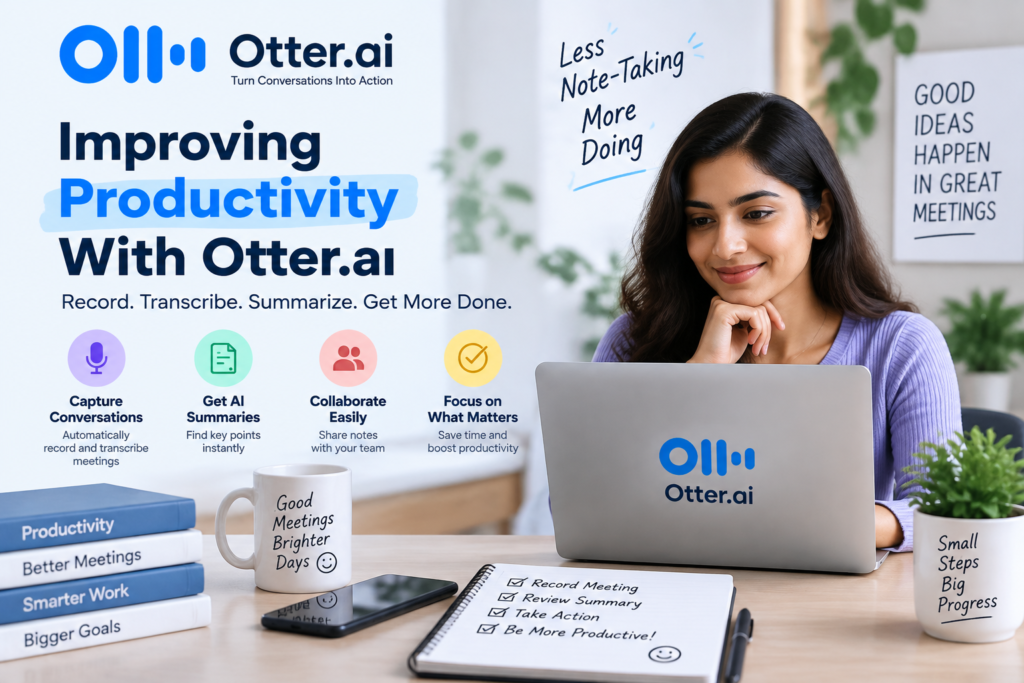
Improving Productivity With Otter.ai
Turning Conversations Into Actionable Tasks
Meetings are only valuable when they lead to progress. A common problem in organizations is that decisions are made during meetings but forgotten afterward. People may remember the general discussion but miss specific responsibilities or deadlines.
Otter.ai helps bridge this gap by making conversations easier to review and organize. After a meeting, teams can identify action items, assign responsibilities, and track important decisions. This creates a smoother transition from discussion to execution.
For example, during a software development meeting, a team may discuss bug fixes, feature improvements, and upcoming deadlines. Instead of relying on memory, developers can review the transcript and confirm exactly what tasks were assigned.
This improves accountability because everyone has access to the same information. There is less confusion, fewer repeated discussions, and better alignment between team members.
Why AI Meeting Transcription Has Become Essential
The Challenges of Manual Meeting Notes
Manual note-taking has existed for decades, but it does not match the speed and complexity of modern communication. A single business meeting may include multiple speakers, technical discussions, customer feedback, project updates, and important decisions. Capturing every detail accurately requires significant effort.
Another challenge is consistency. Different employees take notes in different ways. Some create detailed records, while others write only short summaries. This difference can create confusion when teams need to compare information later. Important details may disappear simply because they were not considered important at the time.
Remote work has made this challenge even bigger. Teams now communicate through platforms such as Zoom, Google Meet, and Microsoft Teams. Employees may join from different locations, and some members may miss meetings because of schedule conflicts. Otter Notetaker can automatically join supported online meetings and create transcripts and summaries, helping users stay updated even when they cannot attend live.
AI transcription solves these problems by creating a consistent record of conversations. Every discussion can be stored, searched, and reviewed without depending on someone’s memory.
How AI Changes the Way Teams Capture Information
Artificial intelligence has changed meeting documentation from a passive activity into an active productivity tool. Earlier, transcripts were simply written versions of conversations. Modern AI tools like Otter.ai go beyond transcription by identifying speakers, generating summaries, highlighting important moments, and helping users interact with meeting content.
For example, after a product planning meeting, a team does not need to read through an entire transcript to understand what happened. AI-generated summaries can highlight major topics, decisions, and follow-up actions. This allows employees to quickly understand the outcome of discussions without spending unnecessary time reviewing every sentence.
Otter.ai also includes features that allow users to ask questions about conversations and find information quickly through AI-powered interaction. These capabilities make meeting records more useful because they transform stored conversations into accessible knowledge.
The result is a smarter workflow where meetings support productivity instead of becoming another task that requires additional documentation afterward.
Getting Started With Otter.ai
Creating an Otter.ai Account
Starting with Otter.ai is a straightforward process, even for users who have never worked with AI productivity tools before. The platform is designed around simplicity, allowing individuals, students, professionals, and organizations to begin creating meeting transcripts without complicated technical setups. Users can create an account through the Otter.ai website or mobile application and choose a plan that matches their requirements. Once registered, the platform provides access to transcription tools, conversation storage, collaboration features, and AI-powered meeting assistance.
After creating an account, users can personalize their experience by adding profile information, adjusting notification preferences, and exploring available integrations. The onboarding process helps users understand how transcripts are created, where conversations are stored, and how different features can improve their workflow. For someone who regularly attends online meetings, this initial setup works like preparing a digital workspace where every conversation can be captured and organized efficiently.
One of the most useful aspects of Otter.ai is that users do not need advanced AI knowledge to benefit from it. The platform handles the complex processes behind speech recognition, language processing, and information organization automatically. This allows users to focus on conversations rather than worrying about technical settings.
For businesses, administrators can also create team environments where employees can share meeting notes, collaborate on transcripts, and maintain a centralized collection of important discussions. This is especially helpful for organizations managing multiple projects because valuable information remains accessible instead of being scattered across individual notebooks, emails, or chat messages.
Setting Up Your Workspace and Preferences
Once an account is created, configuring the workspace correctly can improve the overall Otter.ai experience. Users can customize settings according to their personal workflow, including language preferences, calendar connections, meeting notifications, and collaboration options. A properly configured workspace ensures that Otter.ai works smoothly whenever a meeting begins.
Connecting your calendar is one of the most useful steps. When integrated with platforms such as Google Calendar or Microsoft Calendar, Otter.ai can identify upcoming meetings and help users prepare for transcription. This reduces the need to manually start recording every time a meeting begins.
Users can also organize conversations by creating folders, adding titles, and applying labels. For professionals who attend many meetings every week, organization becomes extremely important. Without proper management, even a powerful transcription tool can become difficult to navigate. A well-structured workspace allows users to quickly locate old discussions, client conversations, interviews, or project updates.
Another important setting is speaker identification. When multiple people participate in a meeting, Otter.ai can recognize different voices and separate their statements. Users can improve accuracy by reviewing speaker names and making corrections when needed. Over time, this creates cleaner and more reliable meeting records.
Best Practices for Accurate Otter.ai Transcriptions
Although artificial intelligence has improved significantly, users can still take steps to achieve better transcription results. The quality of a transcript depends on several factors, including microphone quality, internet connection, speaking style, and meeting environment.
Using a good microphone is one of the simplest ways to improve accuracy. Poor audio quality creates challenges for any transcription system because unclear speech makes it harder for AI models to identify words correctly. Encouraging participants to use headphones or dedicated microphones can produce cleaner results.
Another useful practice is creating structured meetings. When participants introduce themselves at the beginning, speaker identification becomes easier. Avoiding multiple people speaking at the same time also improves transcript clarity.
Users should also review important transcripts after meetings. While AI can handle most transcription tasks effectively, technical terms, company names, and uncommon words may require corrections. Reviewing important conversations ensures that final records are accurate.
Here are some practical tips for improving Otter.ai performance:
- Use clear audio equipment.
- Reduce background noise.
- Ask participants to speak one at a time.
- Introduce speakers during meetings.
- Correct important terminology after transcription.
- Organize transcripts with proper titles and folders.
Using these practices helps transform Otter.ai from a simple transcription tool into a reliable knowledge management system.
Otter.ai for Different Professional Uses
Business Teams and Remote Work
The modern workplace depends heavily on communication, and meetings remain one of the most common ways teams exchange ideas, solve problems, and make decisions. However, as companies become more distributed, keeping everyone aligned becomes increasingly difficult. Employees may work from different cities, countries, or time zones, making it challenging to ensure that everyone has access to the same information. Otter.ai helps remote and hybrid teams overcome this communication gap by creating accurate, searchable records of important conversations.
For project managers, Otter.ai can become a valuable assistant during planning sessions, status updates, and strategy meetings. Instead of spending the entire meeting writing notes, managers can focus on guiding discussions and engaging with team members. After the meeting, the transcript and summary provide a reliable reference that can be shared with anyone who needs updates.
Sales teams can also benefit significantly from AI-powered transcription. Customer meetings often contain important details about requirements, challenges, budgets, and expectations. Missing even a small detail can affect future communication. With Otter.ai, sales professionals can revisit conversations and better understand customer needs before preparing proposals or follow-up messages.
Human resource departments can use transcription tools for interviews, employee discussions, and training sessions. Important information from these conversations can be documented efficiently while maintaining organized records. Similarly, marketing teams can use Otter.ai during brainstorming sessions where multiple ideas are discussed quickly. Having a searchable record allows teams to revisit creative ideas that may have been overlooked.
For remote teams, transparency is one of the biggest advantages. When meetings are documented automatically, employees who could not attend can quickly understand what happened. This creates a more inclusive work environment where important information is available to everyone instead of only those who were present.
Education, Interviews, and Research
Beyond business applications, Otter.ai has become useful in education, journalism, and research environments. Students often attend lectures filled with complex explanations and detailed information. Taking handwritten notes while listening can make it difficult to fully understand the topic. AI transcription allows students to focus on learning while maintaining a detailed record of discussions.
Teachers and instructors can also benefit from automated transcription. Lecture transcripts can support students who need additional review materials or prefer reading information instead of listening to recordings. This can make educational content more accessible.
Researchers conducting interviews can save significant time using transcription technology. Qualitative research often involves hours of recorded conversations that must later be converted into written form. Manually transcribing these recordings can take many hours. Otter.ai helps speed up this process by generating initial transcripts that researchers can review and edit.
Journalists and content creators also use transcription tools for interviews and podcast production. Instead of repeatedly listening to recordings to find specific quotes, they can search transcripts and quickly locate relevant sections.
The value of Otter.ai in these fields comes from reducing repetitive work. When professionals spend less time converting speech into text, they have more time for analysis, creativity, and decision-making.
Otter.ai Security and Privacy Considerations
When using any AI-powered transcription service, privacy and security are important considerations. Meetings often contain confidential information, including business strategies, customer details, financial discussions, and internal plans. Organizations need to understand how their data is handled before adopting any AI tool.
Otter.ai provides security features designed to help users manage their conversations and control access. Businesses can use account settings, permissions, and workspace controls to organize who can view or edit transcripts.
Companies should also establish clear guidelines about when transcription should be used. Not every conversation needs to be recorded. Sensitive discussions may require additional approval or alternative documentation methods.
Employees should inform meeting participants when AI transcription is active, especially during interviews, customer conversations, or external meetings. Transparency helps maintain trust and ensures participants understand how information is being collected.
Data privacy is becoming increasingly important as AI tools become part of everyday workflows. Organizations should combine technology with responsible policies to ensure that productivity improvements do not create unnecessary privacy risks.
Otter.ai Pricing and Plans Overview
Otter.ai offers different plans designed for individual users, professionals, and organizations. The available features and limits can change over time, so users should check the official Otter.ai pricing page for the latest details.
Plan Type | Suitable For | Common Features |
Free Plan | Personal users exploring transcription | Limited transcription minutes, basic features |
Pro Plan | Professionals and frequent meeting users | More transcription capacity, advanced features |
Business Plan | Teams and organizations | Collaboration tools, administration features |
Enterprise Solutions | Large organizations | Advanced security and customized support |
Choosing the right plan depends on how frequently transcription is needed. Someone who attends occasional meetings may find a basic plan sufficient, while companies managing many meetings may require advanced collaboration features.
Before selecting a plan, users should consider factors such as:
- Number of meetings per month
- Required transcription volume
- Team collaboration needs
- Security requirements
- Integration requirements
A good approach is starting with basic features and upgrading when the workflow demands additional capabilities.
Common Mistakes Users Should Avoid
Even powerful AI tools can become less effective when used incorrectly. One common mistake is assuming that AI transcription eliminates the need for human review. While Otter.ai can generate impressive transcripts, users should still verify important information, especially when decisions or sensitive details are involved.
Another mistake is failing to organize conversations. Saving hundreds of transcripts without proper naming or categorization can make information difficult to find later. Creating folders, using clear titles, and maintaining a consistent structure improves long-term usability.
Some users also forget to optimize their meeting environment. Background noise, poor microphones, and overlapping conversations can reduce accuracy. Simple improvements in audio quality can make a significant difference.
Organizations should also avoid using transcription without clear communication. Meeting participants should understand when AI tools are active and how recorded information will be used.
Using Otter.ai effectively requires a combination of technology and good workflow habits.
Future of AI Meeting Assistants
The future of meetings is becoming increasingly connected with artificial intelligence. Tools like Otter.ai represent a shift from simple transcription toward intelligent meeting management. Instead of only recording conversations, future AI assistants are expected to help users prepare agendas, identify important decisions, recommend follow-up actions, and connect information across different business systems.
As AI models become more advanced, meeting assistants may become even better at understanding context, recognizing priorities, and helping teams work more efficiently. A future meeting assistant could act like a digital colleague that understands ongoing projects and helps employees manage information.
The growth of remote work, global collaboration, and digital communication will continue increasing demand for these technologies. Businesses that adopt AI-powered meeting solutions can create stronger information systems and reduce time spent on repetitive administrative tasks.
However, the human element will always remain important. AI can organize information, but creativity, decision-making, empathy, and leadership still depend on people. The best results come when humans and artificial intelligence work together.
Conclusion
Otter.ai has changed the way people capture, organize, and use meeting information. By combining real-time transcription, AI summaries, speaker identification, and searchable conversations, it helps individuals and teams turn everyday discussions into valuable knowledge.
Whether you are a business professional managing projects, a student recording lectures, a researcher conducting interviews, or a remote team member collaborating online, Otter.ai can reduce the burden of manual note-taking and improve productivity.
The biggest advantage of AI meeting transcription is not simply creating text from speech. It is creating a system where important ideas, decisions, and conversations remain available whenever they are needed. Meetings no longer have to disappear after they end. Instead, they can become searchable resources that support better communication and smarter decision-making.
As workplaces continue becoming more digital, AI assistants like Otter.ai will likely play an increasingly important role in helping people manage information effectively.
Read Also:
A Beginner’s Guide to Learning English Online with Novakid TR
What Parents Should Know Before Choosing Novakid Global ARABIC for Kids
Top Reasons Small Businesses Are Considering MightyCall
The Ultimate Guide to Finding the Right Loop Earplugs
How Lenovo Argentina Helps Businesses Choose Better Technology
Everything Freelancers Should Know Before Choosing Kontist
Frequently asked questions
Otter.ai is mainly used for converting spoken conversations into written transcripts. It helps users record meetings, create summaries, identify speakers, search conversations, and organize important information.
Yes, Otter.ai supports integrations with popular meeting platforms such as Zoom, Google Meet, and Microsoft Teams through features like Otter Notetaker.
Otter.ai can provide highly useful transcripts, but accuracy depends on audio quality, speaker clarity, background noise, and technical vocabulary. Reviewing important transcripts is recommended.
Yes, students can use Otter.ai to capture lecture discussions, create study materials, and review important information after classes.
Otter.ai reduces the need for manual note-taking, but human review and interpretation remain important for confirming decisions and understanding context.