

Discover how Reolink can help protect your home and business with advanced security cameras, smart motion detection, night vision, remote monitoring, and flexible recording options. Explore its key features, benefits, and practical tips for choosing the right security system for your needs.
Table of Contents
ToggleUnderstanding Reolink and Its Security Solutions
Reolink is a security technology brand that offers cameras and video surveillance systems designed to help people monitor their homes, offices, shops, warehouses, and other properties. Its product range includes wireless cameras, wired Power over Ethernet (PoE) cameras, battery-powered models, video doorbells, and network video recorder (NVR) systems. These options allow users to choose equipment according to their security needs, property size, and installation requirements.
Modern security cameras make it easier to monitor a property even when you are not physically present. For example, if you leave your shop after closing time or travel away from home, a compatible Reolink camera can help you view live footage, receive motion notifications, and review recorded events. This can provide additional peace of mind and help you respond to suspicious activity more quickly. However, cameras alone cannot guarantee complete protection against theft or other incidents. Combining surveillance with strong locks, appropriate lighting, and secure access controls creates a more effective security strategy.
Key Reolink Features for Home and Business Security
One of the main reasons people consider Reolink is its combination of video monitoring, intelligent detection, flexible connectivity, and recording options. Depending on the model, a camera may offer high-resolution footage, infrared or color night vision, motion alerts, two-way audio, spotlights, and pan-and-tilt functionality. Some models can also distinguish between people, vehicles, and animals, helping users focus on potentially important events.
These features can be useful in different environments. Homeowners may use cameras to monitor entrances, driveways, garages, and gardens, while business owners may install them near checkout counters, stockrooms, delivery areas, and parking spaces. The most suitable system depends on the coverage required and the level of detail needed in recordings. Before purchasing, compare the specifications of individual models because not every camera includes every feature. A well-planned setup can help reduce unnecessary alerts and make security monitoring more convenient.
High-Resolution Video and Night Vision
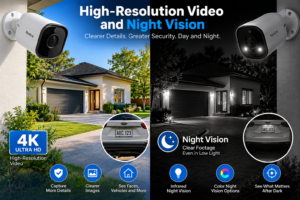
Clear video footage is essential for security monitoring because recordings need to capture useful details. Reolink offers cameras with different resolutions, including Full HD and higher-resolution options such as 4K. Higher resolution can help users observe activity and inspect details within the camera’s field of view. However, image quality also depends on lens quality, lighting, camera positioning, distance, and movement.
Night vision is another important feature for protecting properties after dark. Depending on the model, Reolink cameras may use infrared illumination to produce black-and-white footage or spotlights and low-light imaging technology to capture color images. Infrared night vision can help monitor dark areas without continuous visible lighting, while color footage may provide additional visual details when sufficient light is available. When choosing a camera, consider the manufacturer’s stated night-vision range and test the image at night to ensure that important areas remain visible.
Smart Motion Detection and Instant Alerts
Traditional motion detection can generate alerts when anything moves within a camera’s view. Passing vehicles, moving branches, shadows, and animals may trigger notifications even when there is no genuine security concern. Selected Reolink cameras offer intelligent detection features that can distinguish between people, vehicles, and animals, depending on the model.
These capabilities can make security monitoring more efficient. For example, a homeowner may want notifications when someone approaches the front door, while a business owner may be more interested in activity near a loading area after closing time. Motion zones and sensitivity settings can help reduce unwanted notifications. Users should test these settings in different lighting conditions and adjust them as needed. Although intelligent detection can improve convenience, it is not perfect and should not replace human judgment or an appropriate emergency response plan.
Remote Monitoring Through Mobile Devices
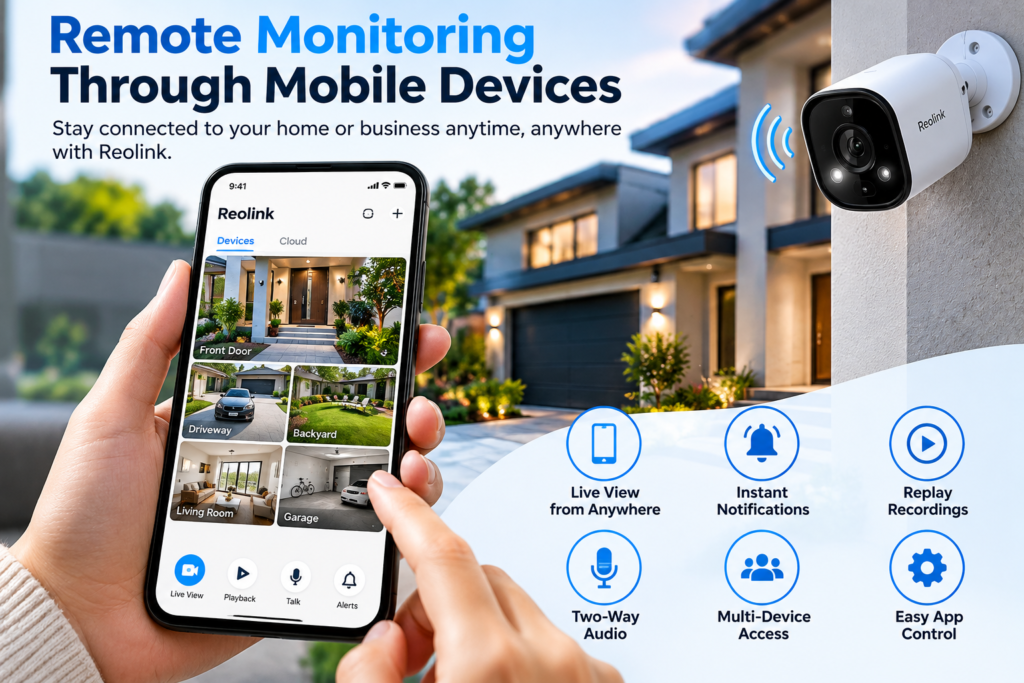
Remote monitoring allows users to check their properties without being physically present. With compatible Reolink cameras and network access, users can access live views, receive notifications, and review recordings through the mobile application, depending on the model and configuration.
This feature can be especially useful for people who travel frequently or manage multiple properties. A shop owner can check activity near the entrance, while a homeowner can review a notification about movement in the driveway. Remote monitoring also makes it easier to investigate an event before deciding what action to take. However, reliable internet access is important for internet-dependent functions. Users should secure their accounts with strong passwords, keep device firmware updated, and limit access to trusted individuals. These precautions help protect both the camera system and the footage it collects.
Wired, Wi-Fi, and Cellular Security Camera Options
Reolink offers different connectivity options to accommodate different property layouts. Wired PoE cameras transmit data and receive power through a single Ethernet cable. Plug-in Wi-Fi cameras reduce the need for data cabling, although they still require a power source. Selected cellular cameras connect through supported mobile networks, making them useful for locations where traditional broadband or Wi-Fi is unavailable.
Each option has its own advantages. A small home with reliable Wi-Fi may benefit from a plug-in wireless camera, while a warehouse may require a wired system with multiple cameras and centralized recording. A remote farm gate or construction site may be better suited to a cellular camera if adequate mobile coverage is available. Before purchasing, consider installation costs, signal strength, power availability, and ongoing connectivity expenses. Choosing the right connection from the beginning can improve reliability and prevent unnecessary installation problems.
Reolink Battery-Powered and Solar-Powered Cameras
Battery-powered cameras are useful when installing electrical wiring is difficult or expensive. They can be suitable for garages, garden sheds, detached buildings, temporary work areas, and outdoor locations without nearby power outlets. Selected Reolink battery-powered models also support compatible solar panels, which can help recharge the battery using sunlight.
Solar-powered cameras can reduce the need for manual charging, but their performance depends on sunlight exposure, weather conditions, camera activity, and recording settings. A camera installed under heavy shade may not receive enough sunlight to maintain its battery charge consistently. Users should also check compatibility between the camera and solar panel before purchasing accessories.
Battery-powered cameras may not be ideal for every application. A business that requires continuous recording may prefer a wired camera system with an NVR, while a homeowner monitoring a remote shed may appreciate the flexibility of a solar-powered model. The best choice depends on the required recording schedule, installation location, and maintenance preferences.
Protecting Your Home With Reolink
Home security cameras can help monitor important access points and outdoor spaces. Reolink cameras can be installed near front doors, back entrances, driveways, garages, gardens, and other areas where visibility is important. A compatible video doorbell can help identify visitors before opening the door, while an outdoor camera can provide a wider view of the driveway or property boundary.
Imagine receiving a notification about movement near your garage while you are away for the weekend. You can check the live feed if the camera is reachable and review any available recording to understand what happened. If the activity appears suspicious, you can contact a trusted neighbour or the appropriate authorities. This is more useful than discovering the situation only after returning home.
Families may also use cameras to check deliveries or monitor activity around entrances. Nevertheless, camera placement should respect privacy, particularly in shared spaces and areas where people expect privacy. Combining surveillance with strong locks, exterior lighting, and secure windows provides a more comprehensive approach to protecting a home.
Local Storage, NVRs, and Cloud Recording
Recording storage is an important consideration when choosing a security camera because it determines how easily users can retrieve footage after an incident. Depending on the model, Reolink cameras may support microSD cards, compatible NVR systems, Home Hub devices, or cloud recording.
Local storage can reduce dependence on paid cloud services. An NVR can centralize recordings from multiple compatible cameras, making it easier to monitor several areas from one location. Cloud recording offers a different advantage because eligible footage may remain accessible remotely even if a camera or its local storage is damaged or stolen. Cloud availability depends on the camera model, service plan, and region.
Storage option | Main advantage | Important consideration |
microSD card | Convenient local recording | Limited capacity and possible physical damage |
NVR | Centralized recording for multiple cameras | Requires compatible equipment and sufficient storage |
Home Hub | Centralized storage for supported cameras | Compatibility varies by model |
Cloud recording | Remote access to eligible recordings | May require a subscription and regional availability |
Before selecting a storage method, consider how many cameras you will use, whether you need continuous recording, and how long footage should be retained. Higher-resolution video generally requires more storage space. Home users may prefer motion-triggered recordings, while businesses may need longer retention periods. If footage is important for insurance claims or workplace investigations, establish a suitable retention policy and protect stored recordings from unauthorized access.
Using Reolink for Business Security
Business properties often require broader surveillance because they may contain valuable inventory, expensive equipment, customer areas, and multiple entrances. Reolink cameras can help businesses monitor reception areas, checkout counters, stockrooms, parking spaces, delivery entrances, and external boundaries.
For example, a retail store might install cameras near the entrance and checkout counter, while a warehouse may need coverage across loading bays and storage areas. A compatible multi-camera system can make it easier to review footage from different locations. Business owners may use recordings to investigate unauthorized access, delivery disputes, property damage, or other incidents.
However, surveillance should be part of a broader business security plan. Companies should establish clear policies about camera placement, employee privacy, recording access, and footage retention. They should also consider secure storage, backup power where appropriate, and regular maintenance. With thoughtful planning, a suitable camera system can help improve visibility and support day-to-day security management.
Two-Way Audio and Active Deterrence
Selected Reolink cameras include two-way audio, which allows users to communicate through the camera using a compatible application. This can be useful for speaking to a delivery driver, greeting a visitor, or asking someone near a restricted area to leave.
Some models also include deterrence features such as spotlights and built-in sirens. Spotlights can improve visibility around entrances at night, while sirens may draw attention to unexpected activity. These features can discourage some unwanted behaviour, although they cannot guarantee that an incident will be prevented.
Users should configure these functions carefully to avoid disturbing neighbours or customers. Businesses should also determine who can activate alarms or communicate through cameras. Privacy laws may apply to audio recording, so check the relevant requirements before enabling audio features. Used responsibly, two-way communication and active deterrence can provide additional convenience and visibility.
Installation, Setup, and Everyday Usability
Installing a security camera successfully requires careful positioning, reliable power, and suitable connectivity. Wi-Fi models may be relatively simple to set up when a strong wireless signal and nearby power outlet are available. PoE cameras require Ethernet cabling, while battery-powered models reduce wiring requirements.
After installation, test the camera during both daytime and nighttime conditions. Check whether faces and important objects are visible, whether lights create glare, and whether trees or other obstacles interfere with the view. Adjust motion sensitivity and detection zones to reduce unnecessary notifications.
If you use an NVR, confirm that all cameras are recording properly and that saved footage can be played back. Businesses should document device locations, recording settings, and account permissions so the system remains manageable over time. Testing the complete setup before relying on it helps identify problems early and improves everyday usability.
Reolink Security Camera Costs and Value
The cost of a Reolink security system depends on the number of cameras, their specifications, recording equipment, and installation requirements. A simple setup may require one camera and a compatible memory card, while a larger property may need multiple cameras, an NVR, hard drives, and network cabling.
Additional expenses may include compatible solar panels, cellular data plans, cloud subscriptions, and professional installation. Prices can change depending on the model, seller, and country, so compare current offers before making a purchase.
Cost factor | What to consider |
Camera hardware | Resolution, detection features, and night vision |
Installation | DIY installation or professional mounting |
Storage | Memory cards, NVRs, hard drives, or Home Hub devices |
Connectivity | Wi-Fi coverage, Ethernet cabling, or cellular data |
Ongoing costs | Subscriptions, maintenance, and replacement accessories |
To determine value, consider the total cost over several years rather than focusing only on the initial price. Local recording may help reduce subscription expenses, while cellular cameras may introduce recurring data costs. A higher-resolution model may be worthwhile where image detail is especially important, but a simpler camera may provide sufficient coverage for a small entrance. Compare the features you genuinely need to avoid spending money on unnecessary functions.
Advantages and Limitations of Reolink
Reolink offers several potential advantages for home and business security. Its product range includes wired, wireless, battery-powered, and selected cellular cameras. Depending on the model, users may benefit from high-resolution video, night vision, intelligent detection, remote monitoring, two-way audio, and local recording options.
The availability of different configurations makes it possible to build a system around specific requirements. Local recording can also appeal to users who want to minimize recurring cloud expenses.
However, there are limitations to consider. Features vary by model, and not every camera supports every recording method or detection function. Wi-Fi cameras depend on signal quality, battery-powered devices require power management, and cloud features may be restricted by region. Cameras can also miss events because of poor positioning, inadequate lighting, network problems, or the limitations of their detection technology.
Reolink should therefore be considered a set of security tools rather than a guaranteed solution to every security problem. Reviewing specifications, planning camera placement, and securing the network can help users get better results.
Reolink Compared With Other Security Options
When comparing Reolink with other security camera brands, consider video quality, storage options, smart detection, installation requirements, and long-term costs. Some systems emphasize cloud subscriptions and smart-home integrations, while others focus on local recording or professionally monitored security services.
Security option | Potential strengths | Possible limitations |
Reolink camera system | Flexible camera options and local recording on supported devices | Compatibility varies between models |
Cloud-focused camera system | Convenient remote storage and access | Subscription fees may apply |
Traditional CCTV system | Wired monitoring and centralized recording | Installation may require professional assistance |
Professionally monitored system | May combine cameras, alarms, and response services | Installation and recurring service costs may be higher |
Cameras and monitored alarm services serve different purposes. Cameras help users observe and document events, while a monitored service may provide a structured response to certain alarms under its service agreement.
For a small home or shop, a carefully planned camera setup may provide sufficient monitoring. Properties containing valuable stock or sensitive equipment may benefit from a professional security assessment. The best choice depends on your risks, budget, installation preferences, and the level of support you need.
Privacy, Cybersecurity, and Responsible Camera Placement
Security cameras should protect property without unnecessarily exposing private information. Before installing a Reolink camera, identify the areas that genuinely require monitoring and avoid capturing neighbouring homes, private gardens, or other sensitive spaces whenever possible.
Businesses should establish clear policies explaining why footage is collected, who can access it, and how long recordings are retained. Recording employees, customers, or conversations may be subject to legal requirements, so check the applicable rules before installing cameras.
Cybersecurity is equally important. Use strong, unique passwords, enable additional authentication protections when available, install firmware updates, and restrict access to trusted users. Secure your router and review connected devices periodically. For businesses, limit administrator privileges and remove access when employees no longer need it.
These precautions help protect recorded footage and reduce the risk of unauthorized viewing. A security system should strengthen your property’s protection without creating unnecessary privacy or cybersecurity risks.
How to Choose the Right Reolink System
Choosing the right security camera begins with understanding your property. Identify the entrances, windows, driveways, stockrooms, parking areas, and other locations that require monitoring. Consider whether you need to identify faces, observe vehicles, cover a wide area, communicate with visitors, or maintain continuous recordings.
These requirements will help determine whether you need a fixed camera, a pan-and-tilt model, a battery-powered device, or a multi-camera system with centralized storage. Your available power supply and network infrastructure should also influence the decision.
Compare suitable models based on resolution, night vision, detection features, weather resistance, storage compatibility, and connectivity. If you want cloud recording, verify that the specific camera and region are supported.
Think about future expansion as well. A small business may initially need two cameras but later require additional coverage for a new entrance or storage area. Choosing compatible equipment from the beginning can simplify expansion and help control costs.
Tips for Getting Better Security Camera Results
Proper installation can make a significant difference to the quality of security footage. Mount cameras at an appropriate height and angle to provide a clear view of important activity while making casual tampering more difficult. Avoid pointing cameras directly toward bright lights or reflective surfaces, and check whether branches or other obstacles block the view.
At night, test the actual footage rather than relying only on advertised night-vision ranges. For large properties, carefully positioned cameras with overlapping views may provide better coverage than relying on one camera to monitor everything.
Regular maintenance is equally important. Clean camera lenses when necessary, inspect mounting hardware, check battery levels, and ensure that recording storage has sufficient capacity. Review motion detection settings when the environment changes, such as after landscaping work or the installation of new lighting.
Periodically replay recordings to confirm that the system is capturing the events you expect. Establish a response plan so that you know who should check alerts, when suspicious activity should be reported, and how important footage should be preserved. These practical steps help make your security setup more dependable.
Conclusion
Reolink can be a useful part of a well-planned home or business security strategy. Its range of wired, wireless, battery-powered, and cellular camera options allows users to choose equipment for different property layouts and installation requirements. Depending on the model, features such as high-resolution video, night vision, intelligent motion detection, remote monitoring, two-way audio, and local recording can improve visibility and help users investigate suspicious activity.
For homeowners, these features can make it easier to monitor entrances, driveways, and outdoor spaces. For businesses, a suitable multi-camera system can help observe deliveries, monitor restricted areas, and review incidents.
The key is to choose equipment based on your actual requirements rather than simply purchasing the most advanced camera available. Check compatibility, plan your storage, secure your network, and position cameras carefully. Remember that surveillance cannot prevent every incident and should complement physical security measures rather than replace them.
With thoughtful planning and regular maintenance, Reolink can provide a practical way to improve property monitoring and make security management more convenient.
Read Also:
How to Create Stunning Animated Videos for Digital Marketing with Renderforest
A Complete Guide to Building a Successful Remote Work Environment
The Ultimate Guide to Starting Your Diving Journey With PADI
Improving Computer Performance With IObit: Features and Benefits
How Lightinthebox Connects Shoppers With Affordable Global Products
Frequently asked questions
Yes. Reolink offers cameras that can help homeowners monitor entrances, gardens, driveways, garages, and other areas. Depending on the model, features may include remote viewing, night vision, intelligent detection, and local recording. Choose a camera that suits your property's layout and security requirements.
Some models can. Wired PoE cameras use Ethernet connections, while selected 4G cellular cameras connect through supported mobile networks. Certain battery-powered cameras are also available in cellular versions. Check the specific model's connectivity requirements before purchasing.
Not necessarily. Many Reolink configurations support local recording through compatible microSD cards, NVRs, or Home Hub devices without a cloud subscription. Cloud recording may require a paid plan, depending on the model and region.
Yes. Supported models offer night vision, including infrared black-and-white footage or color night vision using available light and spotlights. Results depend on the camera model, distance, lighting conditions, and installation position.
Reolink may suit small businesses that need to monitor entrances, checkout areas, stockrooms, parking spaces, and delivery zones. A compatible multi-camera system can provide centralized recording and remote viewing. Before investing, assess your premises, recording requirements, privacy obligations, and whether you also need professional monitoring.